

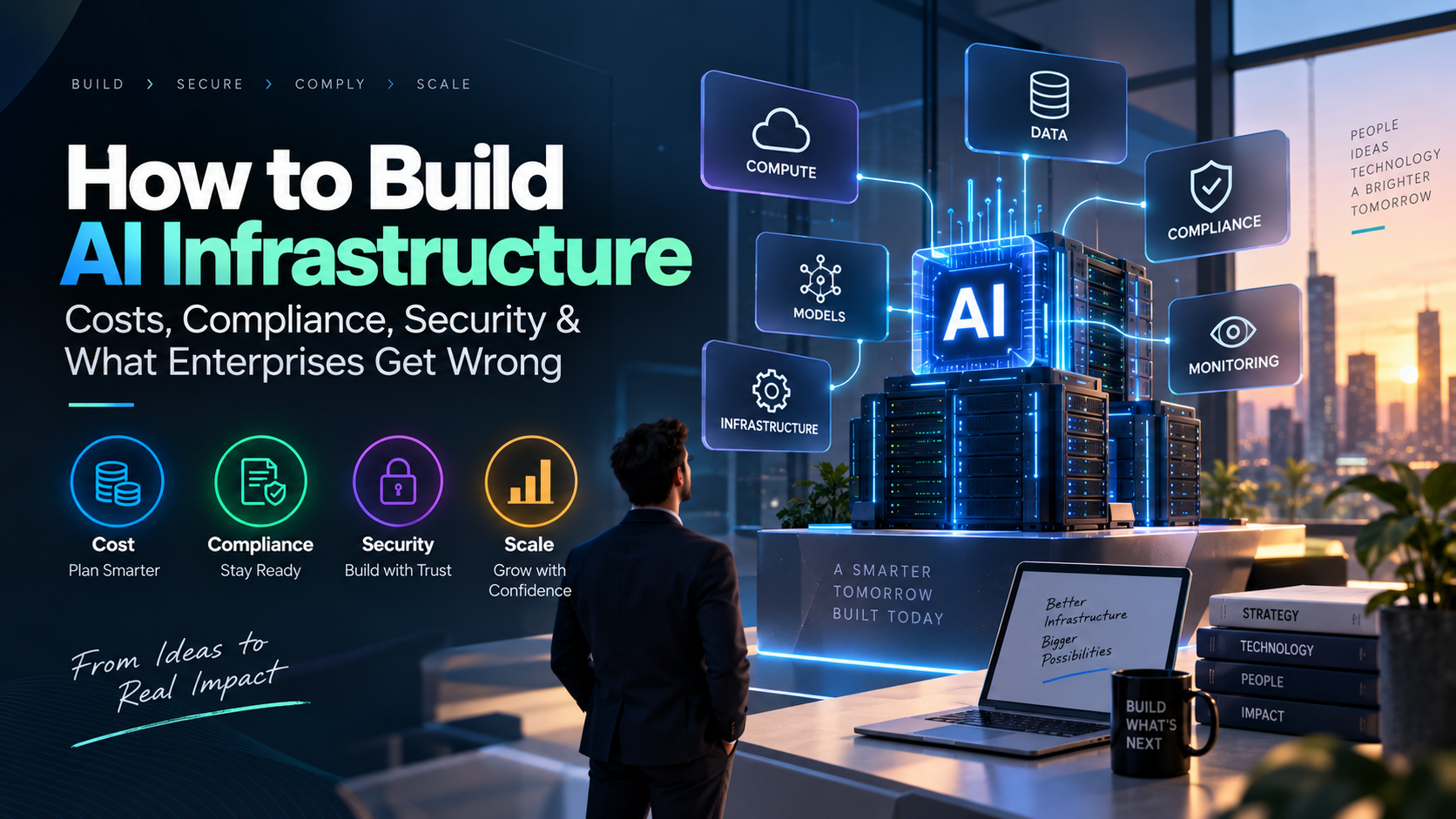
AI infrastructure is no longer a concern reserved for companies building their own foundation models.
Businesses are using AI for customer support, document processing, software development, analytics, recommendation systems, internal copilots, workflow automation, and increasingly, AI agents that can take actions on their behalf.
That changes the infrastructure question.
A prototype might only need an API connection to an AI model. A production system needs much more: reliable compute, data pipelines, storage, networking, security, monitoring, governance, and a way to keep costs under control.
The difficult part is not simply getting AI to work.
It is getting AI to work reliably, securely, compliantly, and economically at scale.
This guide explains what enterprise AI infrastructure actually involves, how to think about its cost, when cloud or on-premise infrastructure makes sense, what security and compliance considerations matter, and the mistakes companies commonly make when moving AI from experimentation into production.
What Is AI Infrastructure?
AI infrastructure is the combination of hardware, software, cloud services, data systems, networking, security controls, and operational tools required to build and run AI applications.
A typical enterprise AI infrastructure environment can include:
- CPUs, GPUs, or other AI accelerators
- Cloud or on-premise compute
- Databases and storage
- Data pipelines
- Vector databases
- AI and machine learning models
- Model-serving infrastructure
- APIs and application services
- Networking
- Identity and access management
- Security controls
- Monitoring and observability
- MLOps and deployment automation
- Governance and compliance systems
The important distinction is this:
AI infrastructure is not the GPU. It is the complete system that allows an AI workload to operate reliably.
A company can have expensive GPUs and still have poor AI infrastructure if its data is unreliable, permissions are too broad, models cannot be monitored, or nobody knows which application is generating the infrastructure bill.
Why AI Infrastructure Is Becoming a Business Problem
Early enterprise AI projects were often relatively simple.
A business could connect an application to an LLM API, build a chatbot, and demonstrate a working proof of concept.
Production AI is different.
Consider an AI customer-support agent.
A single customer request could require the system to:
- Authenticate the customer
- Understand the request
- Search company documentation
- Retrieve customer information
- Query a CRM
- Call another business API
- Ask an AI model to reason over the information
- Generate a response
- Record the interaction
- Escalate the issue to a human when necessary
Now multiply that workflow by thousands or millions of interactions.
The infrastructure underneath the AI suddenly becomes a business concern.
Google Cloud’s 2026 State of AI Infrastructure research surveyed more than 1,400 senior IT leaders and found that 83% of organizations surveyed said they need infrastructure upgrades to support production-grade agentic AI. The research also highlights the growing infrastructure demands created as AI systems move from answering questions to performing multi-step actions.
That is an important change in mindset:
The question is no longer simply “Can we build an AI application?”
It is:
“Can our infrastructure support this AI application when real customers, real data, and real workloads arrive?”
What Does an Enterprise AI Infrastructure Architecture Look Like?
A useful way to understand AI infrastructure is to break it into layers.
1. Application Layer
This is the part users interact with.
Examples include:
- AI assistants
- Customer-support systems
- AI search
- Internal copilots
- Recommendation systems
- Document-processing applications
- AI agents
- Automated workflows
The application layer determines what the rest of the infrastructure needs to support.
2. Model Layer
This contains the AI models powering the application.
Depending on the use case, an organization might use:
- Commercial LLM APIs
- Open-source models
- Fine-tuned models
- Smaller task-specific models
- Embedding models
- Computer vision models
- Speech models
One common mistake is assuming that every enterprise workload needs the largest or most expensive model available.
It doesn’t.
A simple classification task may require a very different model from an autonomous coding agent.
The goal should be to match the model to the workload rather than automatically choosing the most powerful option.
3. Data Layer
AI applications are only as useful as the information they can access.
An enterprise data layer might contain:
- Operational databases
- Data warehouses
- Data lakes
- Customer records
- Internal documents
- Knowledge bases
- Vector databases
- Event streams
- Business applications
This is also where many AI projects run into problems.
A powerful model cannot compensate for outdated, incomplete, duplicated, or incorrectly permissioned business data.
4. Compute Layer
This is where CPUs, GPUs, TPUs, and other accelerators come into the picture.
But compute requirements depend heavily on the workload.
Training a large model, fine-tuning an existing model, and serving an AI application are very different problems.
For example:
Model training
May require large amounts of compute for a limited period.
Fine-tuning
May require less compute but still involve significant experimentation.
Inference
May generate recurring costs because the model is being used continuously by applications and customers.
That distinction becomes particularly important when calculating long-term AI infrastructure costs.
5. Infrastructure and Networking Layer
AI systems also depend on:
- High-performance networking
- Storage throughput
- Data transfer
- Load balancing
- Containers
- Orchestration
- Availability
- Disaster recovery
Networking is particularly important for AI agents.
A traditional application may make a small number of predictable service calls.
An AI agent can potentially interact with several tools and services during a single workflow.
That increases the importance of latency, reliability, observability, and access control.
6. Security and Governance Layer
Security should not be added after the AI system has already been designed.
It should be part of the architecture from the beginning.
This layer can include:
- Identity management
- Access control
- Encryption
- Secrets management
- Audit logging
- Data policies
- Model governance
- Human approval workflows
- Monitoring
- Incident response
The NIST AI Risk Management Framework provides a useful framework for organizations designing, developing, deploying, and evaluating AI systems. NIST’s framework is intended to help organizations manage AI risks throughout the AI lifecycle rather than treating risk management as a one-time activity.
How Much Does AI Infrastructure Cost?
There is no single price for “AI infrastructure.”
This is one of the first things an enterprise needs to understand.
The total cost depends on:
- AI workload
- Number of users
- Number of requests
- Model selection
- Context size
- Inference volume
- Data volume
- Storage
- Networking
- Security requirements
- Monitoring
- Engineering
- Deployment model
- Compliance requirements
A more realistic cost model looks like this:
| Cost area | What it includes |
| Compute | CPUs, GPUs and AI accelerators |
| Model usage | API calls, tokens, inference and licenses |
| Storage | Databases, documents, datasets and backups |
| Networking | Data transfer and high-speed networking |
| Data engineering | Pipelines, processing and maintenance |
| MLOps | Deployment, testing and model operations |
| Security | Identity, encryption and monitoring |
| Engineering | AI, cloud, data and software engineering |
| Compliance | Controls, audits and documentation |
| Operations | Monitoring, maintenance and support |
So when someone asks:
“How much will our AI infrastructure cost?”
The answer should not simply be:
“Our GPU costs $X per month.”
The better question is:
“What will it cost to operate this AI capability per user, transaction, workflow, document, or business outcome?”
That is a much more useful way to think about enterprise AI economics.
The Hidden Cost of AI: Inference
Training gets a lot of attention.
But for many enterprise applications, inference becomes the recurring expense.
Training happens periodically.
Inference happens whenever users interact with the model.
Consider an AI support agent.
One customer request could involve:
- Classification
- Embedding generation
- Retrieval
- One or more LLM calls
- Database queries
- Tool calls
- Another model call
- Final response generation
- Logging
The cost of the interaction therefore depends on the entire workflow, not simply one model request.
This becomes even more important with AI agents.
Google Cloud’s research into AI infrastructure highlights how agentic workloads can generate multiple downstream actions from a single user request, increasing demands on compute, storage, networking, and infrastructure reliability.
That is why enterprises should track:
Cost per interaction
Cost per workflow
Cost per document
Cost per automated task
rather than only looking at a monthly model bill.
How Should Enterprises Calculate AI Infrastructure Cost?
A practical starting point is:
Total AI Cost = Model Usage + Compute + Storage + Networking + Data + Engineering + Security + Operations
Then calculate unit economics.
For example:
Cost per AI interaction = Total AI operating cost ÷ Number of successful interactions
You can also calculate:
Cost per automated workflow
or:
Cost per customer served
This gives business leaders a much clearer picture of whether an AI application is economically viable.
Enterprise AI spending is already becoming a management challenge. McKinsey’s 2026 analysis discusses the difficulty organizations face in predicting and managing AI costs as demand scales and emphasizes connecting AI spending to business outcomes.
Cloud vs On-Premise vs Hybrid AI Infrastructure
One of the biggest infrastructure decisions is where the AI workload should run.
There is no universal answer.
The right choice depends on workload characteristics, cost, data sensitivity, performance requirements, and operational capabilities.
Cloud AI Infrastructure
Cloud infrastructure can be useful when you need:
- Fast deployment
- Flexible capacity
- Rapid experimentation
- Global availability
- Managed infrastructure
- Variable workloads
For organizations still validating an AI product, cloud infrastructure can reduce the need for large upfront hardware investments.
However, flexible infrastructure can also make costs harder to predict if usage grows quickly.
On-Premise AI Infrastructure
On-premise infrastructure can be appropriate for workloads with:
- Consistently high utilization
- Predictable demand
- Strong data-control requirements
- Existing data-center capabilities
- Specific latency or infrastructure requirements
But the organization also takes responsibility for:
- Hardware
- Maintenance
- Networking
- Power
- Cooling
- Upgrades
- Capacity planning
- Infrastructure operations
So the purchase price of the hardware is only part of the calculation.
Hybrid AI Infrastructure
A hybrid architecture can combine the two.
For example:
Sensitive workloads → controlled environment
Variable workloads → cloud
Development and experimentation → cloud
Predictable high-volume inference → dedicated infrastructure
This allows organizations to make infrastructure decisions based on workload rather than forcing everything into one environment.
AI Infrastructure Compliance: What Enterprises Need to Consider
AI compliance isn’t simply a matter of adding a privacy policy to an AI application.
The infrastructure itself needs controls.
Start with the data.
Ask:
- What information enters the AI system?
- Is it personal information?
- Is it confidential?
- Where is it stored?
- Where is it processed?
- Who can access it?
- Is information sent to a third-party model provider?
- How long is it retained?
- Can it be deleted?
- Is its use logged?
- Can the organization demonstrate how it was handled?
The applicable requirements will depend on the organization’s industry, geography, customers, data types, and specific AI use case.
That means there is no universal “AI compliance checklist” that applies equally to every company.
Instead, organizations should identify the requirements relevant to their environment and then map those requirements to technical controls.
For organizations looking for a structured way to think about AI risk and governance, the NIST AI Risk Management Framework is a useful starting point. It focuses on managing AI risks across areas such as governance, mapping, measurement, and management.
AI Security Changes When AI Can Take Actions
A traditional application usually performs predefined operations.
An AI agent can interpret a goal and use tools to accomplish it.
That changes the security model.
Imagine giving an AI agent access to:
- CRM
- Internal documents
- Customer databases
- Financial systems
- Cloud infrastructure
- Business APIs
The agent is no longer simply generating text.
It has access to systems that can perform real actions.
That means enterprises need to think carefully about:
Least-privilege access
Give an AI system only the permissions it actually needs.
Agent identity
An agent should not be treated as an anonymous application with unlimited access.
Human approval
High-impact actions may require human confirmation.
Auditability
Organizations should be able to determine what the system accessed and what actions it performed.
Data isolation
One customer or business unit should not be able to access another’s information through the AI layer.
Prompt-injection defenses
External content should be treated as potentially untrusted input.
Secrets management
API keys and credentials should never be casually exposed through prompts, code, or model context.
NIST’s work on AI security and resilience also emphasizes that AI systems have to deal with both conventional cybersecurity concerns and risks specific to AI systems.
The objective isn’t to prevent AI from taking useful actions.
It is to ensure that AI autonomy operates inside clearly defined boundaries.
10 AI Infrastructure Mistakes Enterprises Make
1. Starting With the Model Instead of the Problem
A company chooses the newest AI model first and then looks for somewhere to use it.
Reverse that process.
Start with:
Business problem → workload → data → performance requirements → model → infrastructure
The infrastructure should support the use case.
2. Buying Too Much Compute Too Early
A successful prototype doesn’t automatically justify a large GPU environment.
Before purchasing or reserving substantial compute, understand:
- Expected traffic
- Peak traffic
- Model size
- Latency requirements
- Inference volume
- Availability requirements
- Expected utilization
Build around the workload rather than the hype.
3. Measuring Tokens Instead of Total Cost
Token usage is only one component.
Production AI may also create:
- Database costs
- Storage costs
- Network costs
- Monitoring costs
- Security costs
- Engineering costs
Track the complete workflow.
4. Treating Data as an Afterthought
AI performance depends heavily on the quality and accessibility of business data.
If the data is outdated, incomplete, duplicated, or incorrectly permissioned, a more powerful model won’t magically solve the problem.
5. Adding Security After Deployment
This is particularly dangerous when AI systems have access to business tools.
Security architecture should be established before the AI is granted production access.
6. Ignoring Observability
Traditional application monitoring might focus on uptime, latency, and error rates.
AI applications need additional visibility.
Track:
- Model usage
- Token consumption
- Retrieval performance
- Tool calls
- Agent actions
- Cost
- Latency
- Errors
- Human escalations
- Model performance
Without this information, diagnosing AI failures becomes much harder.
7. Assuming Every Task Needs the Same Model
Different workloads have different requirements.
A simple classification task may not require the same model used by a complex reasoning agent.
Model routing can therefore become an important cost and performance strategy.
8. Designing for Today’s AI Agents Without Planning for Growth
A chatbot architecture and an autonomous-agent architecture can have very different infrastructure requirements.
As agents become more capable, they can generate:
- More model calls
- More tool calls
- More context
- More database queries
- More network traffic
- More state
- More logs
Infrastructure needs to account for those workflows.
9. Failing to Attribute AI Spending
If finance asks:
“Which AI application consumed most of our budget?”
and nobody knows, there is a visibility problem.
AI spending should ideally be attributable to:
- Product
- Application
- Team
- Business unit
- Model
- Environment
- Workflow
This makes optimization much easier.
10. Scaling Before Optimizing
More infrastructure doesn’t automatically solve an inefficient architecture.
Before scaling, ask:
- Can we reduce context?
- Can we cache results?
- Can we use a smaller model?
- Can we batch requests?
- Can retrieval be improved?
- Can unnecessary agent steps be removed?
- Can duplicate API calls be eliminated?
- Is infrastructure actually being utilized?
Sometimes the best infrastructure optimization is simply doing less unnecessary work.
How to Build AI Infrastructure Step by Step
A practical enterprise roadmap can look like this.
Step 1: Define the AI Workload
Don’t begin with:
“Which GPU should we buy?”
Begin with:
“What exactly will the AI system do?”
Define:
- Users
- Requests per day
- Peak traffic
- Data types
- Response-time requirements
- Accuracy requirements
- Availability requirements
Step 2: Classify the Data
Separate:
- Public data
- Internal data
- Confidential data
- Personal data
- Regulated data
- Customer-owned data
This will influence architecture, access controls, storage, and deployment.
Step 3: Choose the AI Architecture
Determine whether the application needs:
- LLM APIs
- Self-hosted models
- Retrieval-augmented generation
- Fine-tuning
- Multiple models
- AI agents
- Traditional machine learning
- Computer vision
- Speech processing
Avoid adding architectural complexity simply because the technology exists.
Step 4: Estimate the Economics
Estimate:
- Requests
- Tokens
- Inference
- Compute
- Storage
- Network traffic
- Monitoring
- Engineering
Then calculate expected cost per business transaction or outcome.
Step 5: Select the Deployment Model
Evaluate:
- Cloud
- On-premise
- Hybrid
- Potentially multi-cloud
based on workload, security, compliance, performance, and economics.
Step 6: Build Security Into the Architecture
Implement:
- Identity and access management
- Encryption
- Secrets management
- Network controls
- Data-access policies
- Agent permissions
- Audit logging
- Human approval mechanisms
Step 7: Add Observability
Monitor both infrastructure and AI-specific behavior.
Don’t wait for a production incident to discover that your model is expensive, slow, or unreliable.
Step 8: Establish Governance
Define policies for:
- Approved models
- Data usage
- Model changes
- Access permissions
- AI-generated content
- Human oversight
- Vendor management
- Incident response
Step 9: Start With One High-Value Workflow
Don’t try to transform the entire organization at once.
Start with one workflow.
Prove:
Performance + security + cost + business value
Then expand.
How to Reduce AI Infrastructure Costs
Cost optimization shouldn’t simply mean choosing the cheapest model.
The bigger goal is to eliminate unnecessary computation.
Use the smallest model that meets the requirement
Not every task requires a large reasoning model.
Reduce unnecessary context
Don’t send an entire document collection to the model when only a few pieces are relevant.
Improve retrieval
Better retrieval can reduce irrelevant context and improve response quality at the same time.
Cache repeated results
Frequently requested information may not need to be generated repeatedly.
Route workloads between models
Use more capable models for complex tasks and less expensive models for routine tasks.
Monitor infrastructure utilization
Idle accelerator capacity can become expensive infrastructure that provides little value.
Control agent loops
Set appropriate:
- Maximum steps
- Timeouts
- Token limits
- Tool permissions
- Approval requirements
Track costs continuously
Don’t wait until the end of the month to discover that an AI workflow exceeded its budget.
What Will AI Infrastructure Look Like in the Future?
The next phase of enterprise AI is likely to involve more systems that do more than answer questions.
AI applications are increasingly being connected to business systems and workflows.
That means infrastructure needs to support systems that can:
- Understand business context
- Retrieve information
- Use tools
- Execute workflows
- Interact with APIs
- Maintain state
- Operate with defined permissions
- Escalate decisions to humans
This changes infrastructure requirements.
A chatbot might generate one response.
An AI agent might execute an entire workflow.
That difference affects:
Compute
Networking
Data access
Security
Observability
Cost
Google Cloud’s 2026 research describes this broader shift toward AI systems that take actions and execute more complex workflows, with organizations reporting infrastructure gaps as they move toward production agentic AI.
At the same time, enterprises are paying more attention to the efficiency and economics of AI infrastructure.
The future is therefore unlikely to be simply:
More GPUs.
It is more likely to be:
Better workload placement + better data + better utilization + better governance + better economics.
Enterprise AI Infrastructure Checklist
Before putting an AI system into production, ask:
Business
- What business problem are we solving?
- How will success be measured?
- What is the expected cost per outcome?
Data
- What data does the system require?
- Is the data accurate and current?
- Is sensitive information involved?
- Who can access it?
Infrastructure
- Where will the workload run?
- What compute is required?
- What happens during peak demand?
- What is the disaster-recovery strategy?
AI
- Which model is appropriate?
- Do we actually need the largest model?
- Do we need RAG or fine-tuning?
- Could multiple models improve cost or performance?
Security
- What permissions does the AI have?
- Are secrets protected?
- Can actions be audited?
- What happens if the model receives malicious input?
Compliance
- Where is data processed?
- What regulatory or contractual requirements apply?
- How is data retained and deleted?
- Can the organization demonstrate compliance?
Cost
- What is the expected monthly cost?
- What is the cost per workflow?
- Who owns the spend?
- What happens if usage suddenly increases?
Operations
- How will performance be monitored?
- How will model changes be tested?
- How will incidents be handled?
- Who owns the system?
If these questions don’t have clear answers, the system probably isn’t ready to scale.
Final Takeaway
Building AI infrastructure isn’t about buying the most powerful hardware or choosing the newest AI model.
It is about creating a foundation that can support real workloads at a predictable cost while protecting data and maintaining control.
For enterprises, the important decisions often happen before the first production deployment:
What data will AI access?
Which workloads should run where?
Which model is actually necessary?
How much will each workflow cost?
What permissions will an AI agent have?
How will the system be monitored?
What happens when usage grows 10×?
Answer those questions early, and moving from an AI proof of concept to a production system becomes much more manageable.
The goal of good AI infrastructure isn’t simply to run AI.
It is to run AI reliably, securely, economically, and at scale.
To get more info visit – Thirdessential
Or contact us now : 9993344255
Frequently Asked Questions
What is AI infrastructure?
AI infrastructure is the combination of compute, data, storage, networking, models, software, security, monitoring, and governance required to develop and operate AI applications.
How much does AI infrastructure cost?
AI infrastructure costs vary according to workload, model usage, compute requirements, data volume, storage, networking, security, engineering, and operations. There is no single cost that applies to every AI project.
Is cloud or on-premise infrastructure better for AI?
Neither is universally better. Cloud can provide flexibility and rapid scaling, while on-premise infrastructure can provide greater control for certain predictable or sensitive workloads. Hybrid infrastructure can combine both approaches.
What security risks should enterprises consider when deploying AI?
Organizations should consider data exposure, excessive permissions, prompt injection, insecure integrations, credential management, model access, auditability, and unauthorized AI actions.
Does every AI application need GPUs?
No. The infrastructure required depends on the AI workload. Applications using external model APIs may not require the organization to operate GPUs directly, while self-hosted models and certain training or inference workloads may require specialized accelerators.
How can enterprises reduce AI infrastructure costs?
Organizations can reduce costs by selecting models according to workload, controlling context size, improving retrieval, caching repeated results, optimizing inference, monitoring infrastructure utilization, and measuring the cost of complete AI workflows.
Why is AI infrastructure different from traditional IT infrastructure?
AI workloads can introduce model inference, large data-processing requirements, specialized accelerators, vector search, model monitoring, and agentic workflows. These create infrastructure and operational requirements that aren’t always present in conventional applications.