

What Are the Most Common Website Development Mistakes?
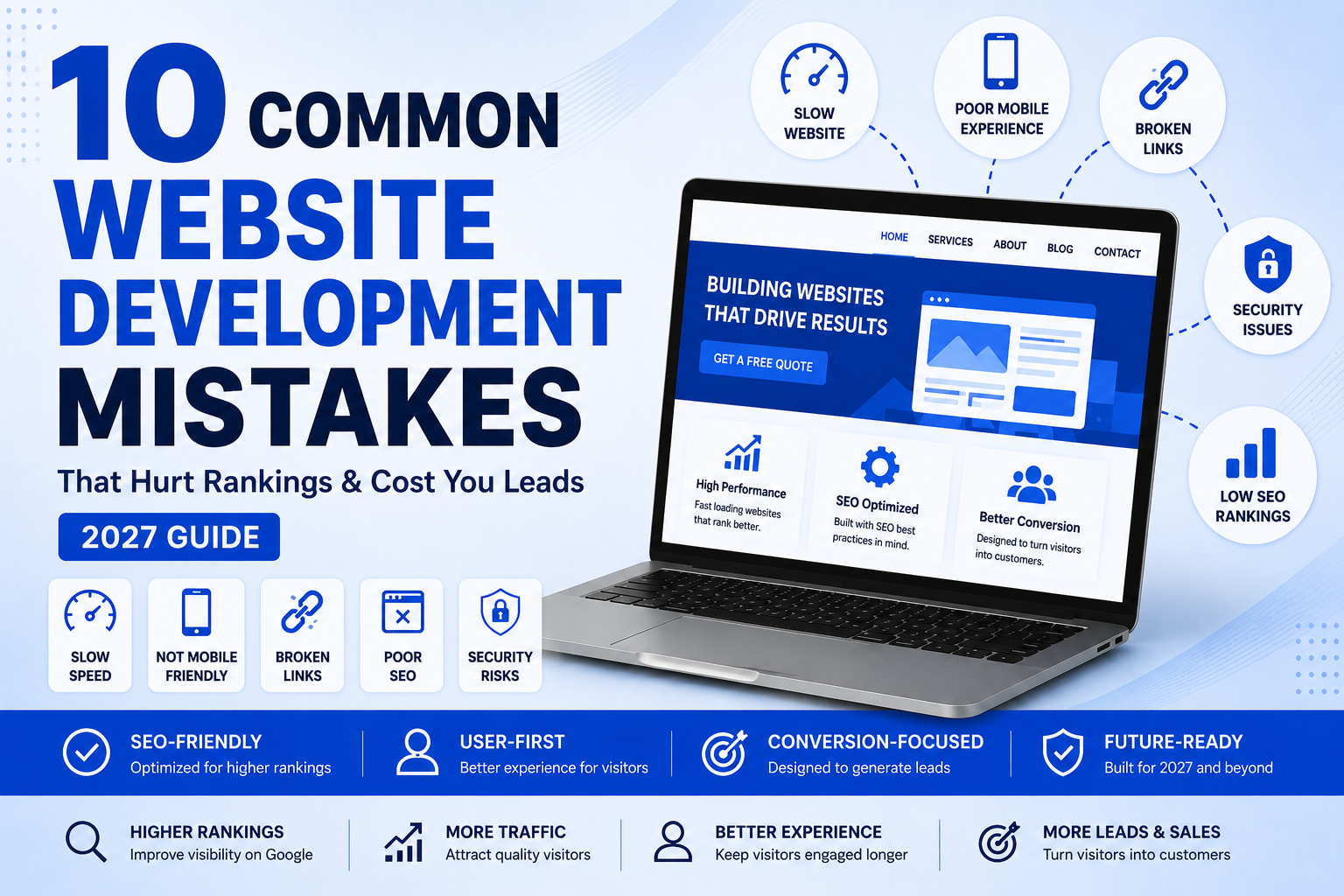
Some of the most frequent website development mistakes involve slow website loading speeds, lack of mobile responsiveness, confusing website navigation, lack of implementable SEO, missing calls-to-action, outdated security protocols, poorly optimized images, broken links, poor accessibility, and failing to maintain your website.
These problems can lower your website’s rankings on Google, affect the user experience, and it can impact the conversion rate. In 2027, a successful website will be fast, mobile-friendly, secure, easy to navigate, search engine optimized and also designed to help users achieve their objectives with as much ease as possible.
Introduction
Imagine spending thousands of dollars on a beautiful website only to realize that it isn’t bringing in customers.
Sadly, this occurs more frequently than business owners would like.
Many business owners feel that they have a website, and that is all they need. In practice, though, creating a website is the starting point. If the site is slow, difficult to navigate, not optimized for search engines or doesn’t answer visitors’ questions, potential customers will leave within a few seconds and look elsewhere.
The role of today’s websites is not just so much to display information. They will be responsible for educating visitors, building trust, generating leads, and being one seamless experience on their desktop, tablet and smartphone.
Search engines also have undergone many changes. Google now considers technical performance, helpful content, user experience, security, accessibility and trustworthiness of websites when assessing their performance. AI Search experiences also reward websites that give the users accurate, clear, and useful answers to their queries.
Any development error, even the smallest of them, can have a major effect on your online visibility and business growth.
From a new website to a redesign, steering clear of these blunders can keep you from spending money unnecessarily, time or perhaps qualified leads.
In this comprehensive guide, we will be discussing the most common mistakes businesses tend to make while creating websites for their businesses in 2027 and explaining why they are important, so you can implement them and make your website better for both users and Google.
Why Website Development Matters More Than Ever in 2027
Your website no longer just serves as a digital brochure, but is frequently the first time potential customers interact with your business. It can often form their initial impression within seconds.
A professionally designed website can easily help visitors find your information or help them to navigate to your site quickly, which will help to build trust in your brand, and will help to lead them to take some form of action, be it requesting a quote, booking a consultation or even making a purchase.
On the other hand, a badly designed website can cause obstacles to your visitors and make it difficult for them to engage with your business.
For example:
- Slow websites put up more “bounce rates”.
- It can be hard for users to find important information when it is confusing to navigate.
- Lack of mobile optimization leads to a bad user experience for smartphone users.
- Poor technical SEO hobbles searchability.
- The lack of security measures brings down customer trust.
- Lack of accessibility prevents potential customers from accessing the product.
- Several disciplines are involved with modern website development:
- User Experience (UX)
- User Interface (UI)
- Technical SEO
- Website Performance
- Accessibility
- Security
- Conversion Optimization
- Mobile Responsiveness
- Content Structure
If all of these factors are aligned, your website becomes a valuable asset to your business that will consistently bring in leads and help the business grow over time.
Companies that make investments in professional website development will be more inclined to:
Optimize websites for search engines. Optimize websites for search engine ranking
- Increase website traffic
- Increase qualified leads.Tackle better leads.
- Build customer trust
- Reduce bounce rates
- Improve conversion rates
Avoid being outcompeted by other businesses in their field.
From startups to local service providers and expanding enterprises, a robust website provides a solid basis for digital marketing strategies.
Looking for expert help? We create high-performance, search engine optimized websites that help businesses expand at Third Essential. Check out our Website Development Services to see how we can help produce a website that can help you achieve your long-term objectives.
Mistake #1: Prioritizing Design Over Performance
While a website may gain attention with its visual appeal, it will lose it if it takes a long time to load or appears unresponsive.
Many businesses spend a lot of money on creating animations, high-resolution media and elaborate visual effects and fail to take into account the impact these have on performance.
Today’s users demand that websites open almost immediately. A few seconds can make all the difference, and that can result in more bounces and less conversions.
Why This Happens
Developers often include:
- Large images
- Unoptimized videos
- Excessive JavaScript
- Multiple animation libraries
- Heavy page builders
- Unnecessary plugins
These characteristics can enhance looks, but can also make for a substantial drop in performance if not done properly.
Why It Matters
Slow websites create poor user experiences.
Visitors may:
- Leave before the page loads
- View fewer pages
- Spend less time on your website
- Lose confidence in your business
Performance also affects search visibility because Google considers page experience and Core Web Vitals when evaluating websites.
How to Fix It
- Compress images before uploading.
- Use modern image formats like WebP.
- Remove unnecessary plugins.
- Enable browser caching.
- Minify CSS and JavaScript files.
- Use a reliable hosting provider.
- Implement lazy loading for images.
Mistake #2: Ignoring Mobile Users
Larger number of people are using internet on smartphones than on desktop PCs.
However, numerous business sites are still built for big screens.
This often results in:
- Tiny text
- Difficult navigation
- Buttons that are too close together
- Horizontal scrolling
- Broken layouts
These issues frustrate users and reduce conversions.
Why It Matters
Having a mobile friendly website offers a better user experience for all visitors, no matter their device.
Responsive design also helps search engines efficiently crawl and index your content.
Some signs that indicate your website needs improvement are as follows.
- It is challenging to read the text.
- Navigation menus are perplexing.
- Forms are difficult to fill out.
- Images extend beyond the screen.
- Buttons are difficult to tap.
Best Practices
- Use responsive layouts.
- Optimize fonts for smaller screens.
- Ensure buttons are easy to tap.
- Simplify navigation.
- Test across multiple devices.
Mistake #3: Poor Website Navigation
It is essential that visitors can not find important information.
Users who don’t find the services, pricing, contact information or FAQ within a few clicks, might abandon your website in their entirety.
Bad directionality adds unneeded friction.
Common Navigation Mistakes
- Too many menu items
- Unclear page names
- Hidden navigation
- Broken internal links
- No search functionality
- Inconsistent menus
Why It Matters
Good navigation improves:
- User experience
- Time on site
- Page views
- Conversion rates
- Search engine crawlability
Best Practices
- Structure your navigation in an orderly fashion.
- Use descriptive labels for menus.
- Have a uniform website navigation.
- Have distinct links to key pages.
Mistake #4: Ignoring SEO During Website Development
A major error made by businesses is when they see SEO as something that can be tacked on to the completed website.
In fact, SEO should actually be integrated into the development process from the start.
Technical SEO lays the foundation for search visibility.
SEO development mistakes that can be avoided.
- Missing title tags
- Duplicate meta descriptions
- Incorrect heading hierarchy
- Broken URLs
- Poor internal linking
- Missing XML sitemap
- No structured data
- Slow loading pages
Why It Matters
Even great content can fail to rank if it doesn’t have the right technical SEO.
Search engines require clear signals to determine the meaning, structure and relevance of your website.
Best Practices
- Make descriptive page titles.
- Use 1 H1 per page.
- Use headings (H2 and H3).
- Develop internal logical links.
- Optimize URLs.
- Provide XML sitemap.
- Use the appropriate structured data.
Mistake #5: Poor Core Web Vitals Performance
Core Web Vitals are metrics that capture how consumers interact with your website, including: loading performance, responsiveness, and visual stability.
If the web site is heavy, doesn’t meet the standards for its resources or has an inefficient coding system, it will not meet these benchmarks.
The Three Key Metrics
Largest Contentful Paint (LCP) is a metric for how fast the primary content loads.
Interaction to Next Paint (INP) is the measure of responsiveness to user interaction.
Cumulative Layout Shift (CLS): This index quantifies how stable the website has been in terms of the visual changes that have occurred while loading the page.
Why They Matter
Improving Core Web Vitals can result in:
- Improved user satisfaction
- Lower bounce rates
- Better engagement
- Stronger search performance
How to Improve
- Optimize server response times.
- Compress media files.
- Reduce render-blocking resources.
- Minimize layout shifts.
- Load only essential scripts.
Mistake #6: Weak Website Security
Websites are secure and safeguard your business and your customers.
Unfortunately, many small businesses neglect to think about security until there is a problem.
If a website is compromised, it can cause data loss, loss of customer trust and downtime.
- No SSL certificate
- Weak passwords
- Outdated plugins
- Missing backups
- No firewall
- Poor user permission management
Why Security Matters
Visitors expect websites to be secure.
A secure website helps:
- Protect customer information
- Prevent malware infections
- Reduce hacking risks
- Maintain business credibility
- Improve overall trust
Security Best Practices
- Use HTTPS.
- Keep your CMS and plugins up to date.
- Enable automatic backups.
- Use a strong password and multi-factor authentication
- Use a Web Application Firewall (WAF).
- Limit administrator access.
Mistake #7: No Clear Call-to-Action (CTA)
In your mind, visualize a visitor coming to your website after performing a search for your services. They enjoy your content, then they look around a few pages, and they may think that they might want to work with you.
If they don’t know what to do next.
- Should they call?
- Fill out a form?
- Request a quote?
- Book a consultation?
- Download a brochure?
Not having a clear next step guide on your site means losing out on customers every day.
A great website without a Call-to-Action (CTA) is like a salesperson who doesn’t ask for the sale.
Why It Matters
Many businesses websites get a lot of traffic but don’t get many leads because visitors don’t take action.
Each page must have one question to address:
“What do you want the visitors to do next?”
Without a clear CTA, users often leave the website—even if they’re interested in your services.
Common CTA Mistakes
- There’s no CTA above the fold. There is no CTA above the fold.
- The majority of buttons are competing for space.
- Placeholders such as “Click Here.
- There is a contact form at the bottom, which is hidden.
- No phone number shown
- Displays are not replaced during the CTA.No adjustment of displays before CTA.
- Avoid using various CTAs within the same page
Better CTA Examples
Instead of:
Submit
Use:
Get a Free Quote
Book a Free Consultation
Talk to Our Experts
Schedule a Website Audit
Start Your Project Today
You’re ready to begin your project right away!
These CTAs tell visitors what they’re getting.
Real Business Example
An area service provider had more than 3,500 visitors to their website on a monthly basis, and just 12 leads per month.
They have redesigned the website and they:
- Added a CTA above the hero section.
- After each major chapter, put contact buttons.
- Incorporated floating “Call Now” button on mobile
- Simplified their contact form
Inquiries jumped with no increase in advertising within 3 months.
It’s not that there was more traffic, it’s that it was more convenient for people to reach out to the business.
Expert Tip
Each key page should have one main objective.
Ask yourself:
“What action do I want them to take if someone visits this page on the day of posting? “
Plan around that objective.
Mistake #8: Poor Content Structure
There is plenty of valuable information on many websites but visitors never read it.
Why not?
Because it is hard to scan.
The modern reader does not read every single word. He skims through the text.
If you have a wall of text, visitors may leave your website without even trying to find the required information.
Moreover, Google appreciates structured content because it is easier to comprehend and use for search results and AI-based summaries.
Bad Signs of Content Structure
- Very big paragraphs
- Lack of headings
- bullet points
- less images
- Table format not proper
- Low FAQs
- Long sentences
Why Is It Important to Structure Your Content
Proper formatting allows visitors to:
- Find the answer quickly
- Spend more time on the site
- Understand complicated material
- Navigate your content
Structured content also helps search engines to understand hierarchy of the page.
Good Signs of Content Structure
Not:
500-word paragraph
But:
Headings
- Clear headings
- Short paragraphs
- Bullet points
- Numbered lists
- Images
- Infographics
- Comparison tables
- FAQs
This improves readability and increases the likelihood of your content being used in featured snippets and AI-generated summaries.
Real Business Example
An IT company created a 2,800-word post that wasn’t ranking despite being informative.
By optimizing the structure and making sure it had:
- Shorter paragraphs
- H2 and H3 tags
- Comparison tables
- FAQs
- More internal links
It began to rank for several long-tail keywords and get increased organic traffic in a couple of months.
No changes in the information – just better formatting.
Expert Tip
First of all, write for skimmers.
People should understand the essence of your page if they only read:
- Headings
- Bullet points
- Highlighted tips
- Images
And if they need more information, they will read further
Mistake #9: Ignoring Website Accessibility
Accessibility does not just mean compliance.
Accessibility means that all your visitors will be able to navigate your website comfortably.
A good website must be accessible since it is important in reaching out to many more people.
Most organizations overlook accessibility when developing websites.
Common Accessibility Mistakes
- No alternate text for images
- Color contrast is too low
- Very small fonts
- No keyboard accessibility
- No captions for videos
- Badly labeled buttons
- Forms lacking labels
Why Accessibility Matters
Accessible websites:
- Make it more usable
- Boost customers’ trust
- Encourage accessible design
- Help search engines comprehend the content
- Remove hurdles from the way of user
Many things that make something more accessible can also improve SEO.
Real Business Example
A case was reported by an e-commerce company whereby their users had challenges while making purchases through the use of mobile phones since the form on which they filled was not optimized for keyboard and screen reader accessibility.
This problem was solved after optimizing the form with regards to its labels and buttons. The improvement of forms and their accessibility benefits all users.
Expert Tip
Accessibility needs to be part of a project right from the start and not bolted on at the end.
Changes made during development are easier than rebuilding entire pages later
Mistake #10: Broken Links and Poor Internal Linking
Nothing irritates visitors more quickly than following a dead link.
Dead links will ruin your visitor experience and make your website look neglected.
On the other hand, many businesses ignore internal links and fail to capitalize on their advantages.
Common Problems
- 404 pages
- Broken menu links
- Redirect chains
- Old URLs
- Missing internal links
- Orphan pages
- Incorrect redirects after redesigns
Why Internal Linking Matters
Internal links help:
- Users find related content
- Search engines understand the layout of your website
- Distribute page ranking on your website
- Stay on the site for longer
- Crawling is done efficiently
An effective internal link strategy will help in creating topic authority as well.
Real Business Example
A professional services website hosted many informative blog articles; however, they were separate with very few connections to other pages within the site.
By adding proper relationships among service pages, blogs, and resource guides, visitors ended up reading more articles per visit, and search engines found it easier to establish relations.
Expert Tip
Every new blog post should link to:
- Service page
- Blog posts
- Contact page
- About page (where applicable)
Similarly, the service pages need to have links back to educational pages that address commonly asked questions by customers.
It forms an excellent content ecosystem.
Frequently Asked Questions (FAQs)
1. What are the most common website development mistakes?
The most common website development mistakes include slow loading speed, poor mobile responsiveness, weak technical SEO, confusing navigation, missing calls-to-action (CTAs), unoptimized images, broken internal links, poor accessibility, outdated plugins, and neglecting regular website maintenance. These issues can hurt search rankings, reduce user engagement, and lower conversion rates.
2. Why is website development important for SEO?
Website development lays the technical foundation for SEO. A well-developed website improves page speed, mobile usability, Core Web Vitals, crawlability, URL structure, schema markup, and user experience all of which help search engines understand and rank your content more effectively.
3. How often should a business website be updated?
A website should be monitored regularly, with security patches and plugin updates applied as needed. Content should be reviewed periodically to ensure it remains accurate and relevant, while a full technical and SEO audit is recommended at least once a year.
4. Does website speed affect Google rankings?
Yes. Website speed influences user experience and is one of the signals Google considers when evaluating page experience. Faster websites generally provide a better browsing experience, helping reduce bounce rates and improve engagement.
5. What is mobile-first website development?
Mobile-first development means designing and optimizing a website for smartphones before adapting it for larger screens. This approach ensures a better experience for the majority of users who browse on mobile devices.
6. What are Core Web Vitals?
Core Web Vitals are performance metrics that measure how users experience your website. They evaluate loading performance, responsiveness, and visual stability to help determine whether your site provides a smooth browsing experience.
7. How can I improve my website’s conversion rate?
Focus on clear calls-to-action, simple navigation, fast page loading, trust signals such as testimonials and reviews, easy-to-use contact forms, and content that answers visitors’ questions. A website that guides users naturally toward the next step is more likely to generate leads.
Final Conclusion
In 2027, a successful website is more than just pretty pictures. It should function well, respond to user inquiries, cultivate trust and facilitate user action.
Looking back on this guide, we’ve learned about the most frequent website development errors that can hinder search visibility, make users unhappy, and stifle business expansion. These enhancements not only boost page load times but also enhance mobile-friendliness, improve security measures, enhance accessibility, and optimize technical aspects like SEO.
The best websites are designed with users in mind. If visitors can easily find what they are looking for, get around easily, and know that you trust your business, they will be more inclined to be your customer.
Search engines are increasingly favouring sites that are high quality, expert and have a good user experience. These are the basics, and they’re not just for Google to rank your website; these are for your business to thrive for years.
No matter if you’re building a new website or enhancing a current site, it’s crucial to view your site as a continuously growing business asset rather than a one-and-done venture.
Why Choose Third Essential?
We don’t build websites at Third Essential, we build digital experiences that help businesses grow.
Our approach combines:
- User-focused website design
- SEO-friendly development
- Responsive mobile experiences
- Fast-loading, performance-optimized websites
- Technical SEO Best Practices
- Conversion-focused layouts
- Continuous website maintenance and support
All of our websites are designed to be scalable, high performing and accessible to users, so they can meet your marketing objectives and your customers’ expectations.
From startups to local businesses to established companies, we work closely with you to create a website that aligns with your brand and delivers measurable results.
Website Development in Indore
If you are based in Indore or serve customers from all over Madhya Pradesh, make sure your website is optimized for search engine results as well as local search intent.
A great local seo strategy encompasses:
- Optimized Google Business Profile
- Having Consistent Name, Address, and Phone Number (NAP)
- Location-specific landing pages
- Schema markup at the local level.
- Customer reviews
- Blog articles that are relevant to the local community.
- Fast mobile performance
The internal links between the service and location pages are correct.
For businesses in Indore, a professional website development company in indore combined with local SEO can be beneficial in boosting their visibility in the vicinity where they are looking for services online.
Ready to Improve Your Website?
If your website is currently slow, dated, hard to maintain or not bringing the amount of leads you’d like, it is time to make some changes.
We know how to design a site that is not only beautiful, fast and search engine friendly, but one that is designed to help your business grow over time, which is what we do here at Third Essential.
We can provide you with a brand new website, redesign or technical enhancements on an existing site.
Contact Third Essential today to get a consultation and learn about how a third party developed website can help your business get more visitors, leads and improve results online.