
How AI Is Revolutionizing Digital Marketing in 2027: Trends, Benefits & Strategies

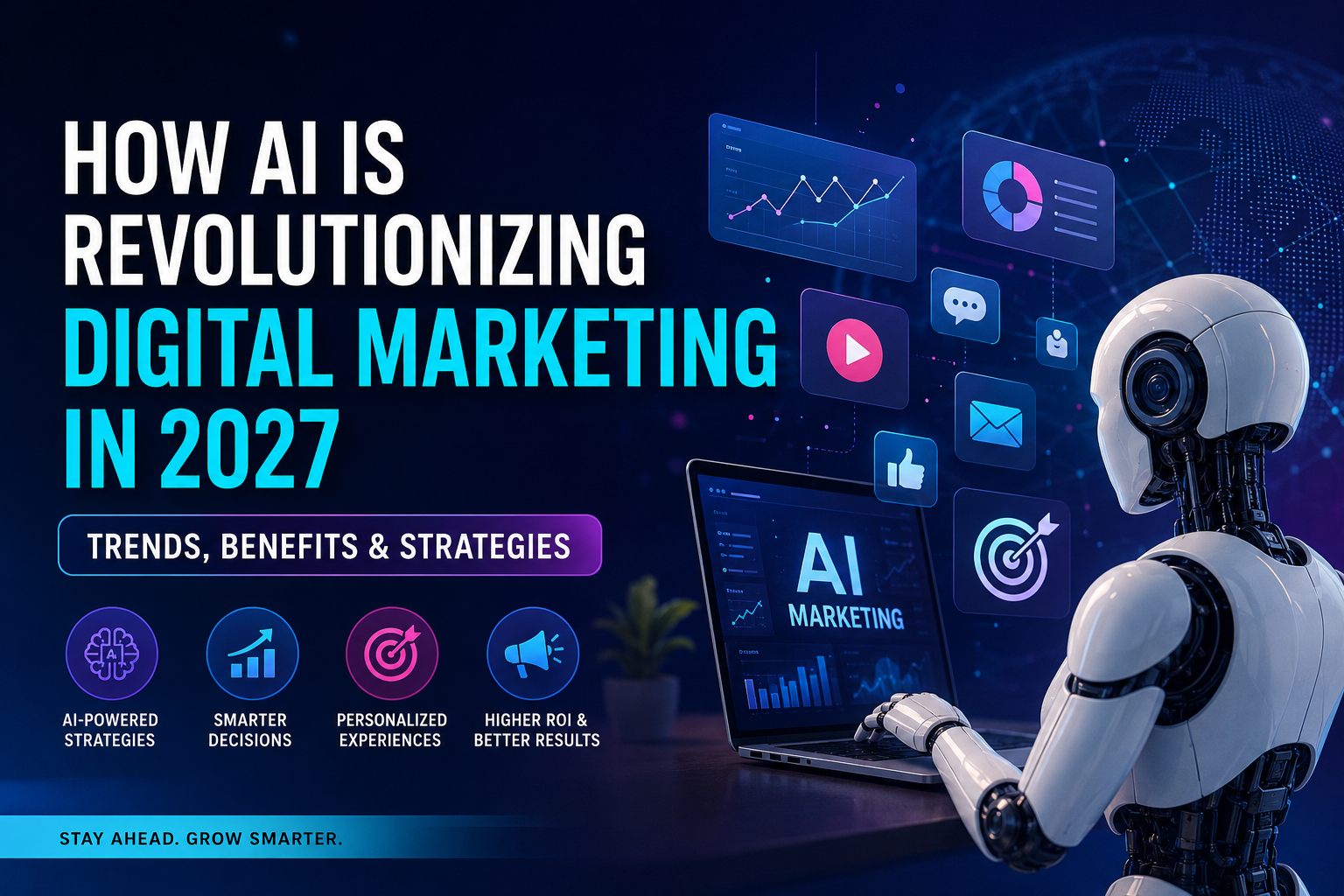
How AI Is Revolutionizing Digital Marketing in 2027: Trends, Benefits & Strategies

Artificial intelligence (AI) is no longer just a technology for the future. It’s turning out to be a viable component of digital marketing.

From creating content and analyzing customer behavior to improving SEO, personalizing campaigns, and automating repetitive tasks, AI is changing how businesses attract and convert customers.

However, the successful application of AI in 2027 isn’t just about creating more content or automating everything. AI is vital for businesses to get a better grasp on their customers, make quicker decisions, enhance user experience, and produce content that offers real value.

In this guide, we’ll dive into the most prominent AI digital marketing trends of 2027 and how companies can harness them to boost their web presence. 

What Is AI-Powered Digital Marketing?

AI-driven digital marketing involves leveraging artificial intelligence to enhance various aspects of digital marketing, including SEO, content creation, advertising, social media management, customer service, analytics, and personalization.

AI can process significant amounts of data far quicker than any human. It can recognize patterns, forecast shoplifter behaviour, automate repetitive tasks and support marketers in their decision making process.

But AI is most effective as a marketing assistant rather than a replacement for humans.

Google’s current advice also focuses on producing content that helps and is original for people, not an excessive amount of content that is lower in value and created by AI. 

7 AI Digital Marketing Trends to Watch in 2027

1. AI Search Will Change How People Find Businesses

Search is going beyond “key word” results.

Google’s AI Overviews and AI Mode are intended to handle more complex queries and facilitate users to investigate topics via conversational searching. Users can ask longer questions, probe for more information, and find information without searching through the “search → click → read” process.

That means businesses have to develop content in a way that shows exactly what they’re looking for when customers ask questions.

To illustrate, rather than targeting only:

“Digital marketing company Indore”

These are also topics that a business can use to produce valuable content:

  • What is the cost of Digital Marketing in Indore?
  • What marketing channel is the most effective for your small business?
  • The time frame for SEO to drive leads?
  • SEO vs Google Ads: Which is better?
  • What are ways to drive more traffic to a local business from Google?

The goal is to solve the entire customer question, not just a keyword. 

2. SEO and AI Search Optimization Will Work Together

SEO is not disappearing because of AI.

Google’s current documentation states that SEO best practices remain relevant because its generative AI search experiences are still connected to Google’s core search systems.

In 2027, businesses should focus on:

  • Helpful and original content
  • Strong technical SEO
  • Clear website structure
  • Internal linking
  • Relevant entities and topics
  • First-hand experience
  • Author and business credibility
  • Images and videos
  • Local SEO
  • Structured data where appropriate

The focus is shifting from simply ranking for keywords to becoming a useful and trusted source of information.

3. AI Will Make Marketing More Personalized

Customers want businesses to know what they want.

AI can process customer data, previous interactions, interests, website activity, and campaign responses, which can result in more tailored experiences.

For instance, if a visitor has already viewed some products on an ecommerce site, it can present different recommendations.

Customer data can also enable a service business to determine what services generate the best leads.

Companies will have a better chance of engaging customers, improving their experience and conversion rates when personalization is done better. 

4. AI Will Improve Paid Advertising

AI is also changing Google Ads, social media advertising, and other paid marketing campaigns.

Instead of manually analyzing every campaign element, marketers can use AI to identify patterns in:

  • Audience behavior
  • Search terms
  • Ad performance
  • Conversion data
  • Customer segments
  • Budget allocation
  • Creative performance

The important point is that marketers still need to control the strategy.

AI can identify opportunities, but humans should decide the business objective, audience, offer, messaging, budget, and brand direction.

5. AI Content Creation Will Become More Useful—but Quality Will Matter More

AI can help marketers create:

  • Blog outlines
  • Content ideas
  • Social media posts
  • Ad variations
  • Email drafts
  • Product descriptions
  • Video scripts
  • FAQs
  • Research summaries

However, bulk publishing AI-generated content won’t be a successful SEO tactic.

Google cautions that creating a large number of pages without value might be in violation of their scaled content abuse policies.

The smarter way:

The intelligent use of AI combined with human skills for quality.

Include real-world examples, original insights, data, customer questions, expert opinions, case studies and practical solutions. 

6. AI Agents Will Automate More Marketing Tasks

One of the important developments heading into 2027 is the growth of AI agents.

Instead of simply answering a question, AI systems are increasingly being designed to perform multi-step tasks.

For marketers, this could mean more automation across:

  • Lead qualification
  • Customer support
  • Campaign monitoring
  • Reporting
  • Follow-ups
  • Audience segmentation
  • Marketing workflows

This creates an opportunity for businesses to reduce repetitive work while allowing marketing teams to focus more on strategy and creativity.

7. First-Party Data and Trust Will Become More Important

As AI-generated content becomes easier to produce, trustworthy information becomes more valuable.

Businesses should build their own sources of reliable data through:

  • Website analytics
  • CRM information
  • Customer feedback
  • Reviews
  • Email subscribers
  • Purchase behavior
  • Lead data
  • Customer surveys

This information enables businesses to know what their customers are truly looking for, rather than just plain making assumptions about it.

Trust will also be more important as AI systems are capable of providing inaccurate or out of date information sometimes. It’s important to have up-to-date business information across websites, profiles, reviews, and other relevant platforms, which can contribute to a unified digital image. 

How Can Businesses Use AI in Digital Marketing?

You don’t need to adopt every AI tool available.

Start with the problems that are costing your business the most time or money.

For example:

Problem: Your website gets traffic but few leads.
Solution: Use AI-assisted analytics to identify weak pages, customer behavior, and conversion opportunities.

Problem: Creating content takes too much time.
Solution: Use AI for research, outlines, and drafts, then add human expertise and original information.

Problem: Advertising costs are increasing.
Solution: Use AI-assisted campaign analysis to identify high-performing audiences, keywords, creatives, and conversion paths.

Problem: Customers receive slow responses.
Solution: Use AI-powered chat and automation for common questions and lead qualification.

The best AI strategy starts with a business problem, not a technology.

What Does AI Mean for Digital Marketing in Indore?

AI offers opportunities for local businesses to compete with larger businesses in Indore.

AI can be incorporated with SEO, Google Business Profile optimization, content marketing, social media marketing, paid advertisements, and conversion optimization as other strategies.

For instance, a company can develop beneficial content addressing questions which its neighborhood customers are genuinely seeking, as well as enhance its local search visibility.

This is particularly relevant as customers will often check out a company online before calling, visiting or purchasing. 

If your business needs help combining SEO, paid advertising, content, social media, and AI-powered marketing strategies, working with an experienced digital marketing company in Indore can help create a strategy around your actual business goals rather than simply using AI tools.

How ThirdEssential Helps Your Business With Digital Marketing

Thirdessential uses a blend of SEO, PPC, content marketing, social media, AI-driven strategies, and website optimization at ThirdEssential to enhance your online presence and drive more leads.

The first step is to get a clear grasp of your business objectives, audience, competition, and online presence. Next, we develop a strategy that’s centered on what’s most important – higher rankings, qualified traffic, leads, and conversions.

Whether you’re enhancing your search presence, developing user-friendly material, overseeing paid search projects, or fine-tuning your site, we assist you combine your digital marketing initiatives into a solitary method.

For a digital marketing company in Indore, ThirdEssential can help you develop a realistic, data-driven marketing plan tailored to a long-term marketing strategy that promotes sustainable business growth.

Contact us Now: – https://thirdessential.com/contact/
Visit Our site : https://thirdessential.com/

How to Prepare Your Digital Marketing Strategy for 2027

You don’t need to completely rebuild your marketing strategy.

Instead, focus on five areas:

  1. Understand your customers – Identify their questions, problems, needs, and buying journey.
  2. Create useful content – Answer real questions with clear, original information.
  3. Improve your website – Make it fast, mobile-friendly, easy to navigate, and conversion-focused.
  4. Use AI strategically – Automate repetitive tasks while keeping human control over important decisions.
  5. Measure business results – Track leads, sales, conversions, customer acquisition costs, and revenue—not just traffic.

Google also recommends focusing on the overall value of visits and conversions rather than measuring success only through clicks, particularly as AI search changes how users interact with results.

Final Thoughts

AI is changing digital marketing, but the fundamentals are not disappearing.

Businesses still need strong websites, useful content, SEO, trustworthy information, good customer experiences, and clear marketing strategies.

The biggest change in 2027 is that AI can help businesses do these things faster and more intelligently.

The winning approach is not AI versus humans.

It is AI + human expertise.

Businesses that use AI to understand customers, improve content, personalize experiences, analyze performance, and automate repetitive work can create a stronger marketing system while saving valuable time.

If you want to build a digital marketing strategy that combines SEO, AI, content marketing, paid advertising, social media, and conversion optimization, connect with us to discuss your business goals.

Frequently Asked Questions

Will AI replace digital marketers in 2027?

No. AI can automate many repetitive marketing tasks, but strategy, creativity, brand understanding, customer empathy, and decision-making still require human expertise.

Is SEO still important with AI search?

Yes. Google says SEO fundamentals remain relevant to its generative AI search experiences. Businesses should continue focusing on technical SEO, useful content, website quality, and user experience.

Can small businesses use AI for digital marketing?

Yes. Small businesses can use AI for content research, customer support, campaign analysis, personalization, lead qualification, and marketing automation without needing a large marketing team.

Should businesses use AI to write all their content?

No. AI can assist with research and drafting, but businesses should add original insights, expertise, examples, data, and useful information. Publishing large amounts of low-value AI content can create SEO problems.

What is the biggest AI marketing trend for 2027?

The biggest shift is the move toward AI-assisted search, personalization, automation, and agent-based experiences. Businesses will need to optimize not only for traditional search rankings but also for how people discover and evaluate information through AI-powered search experiences.

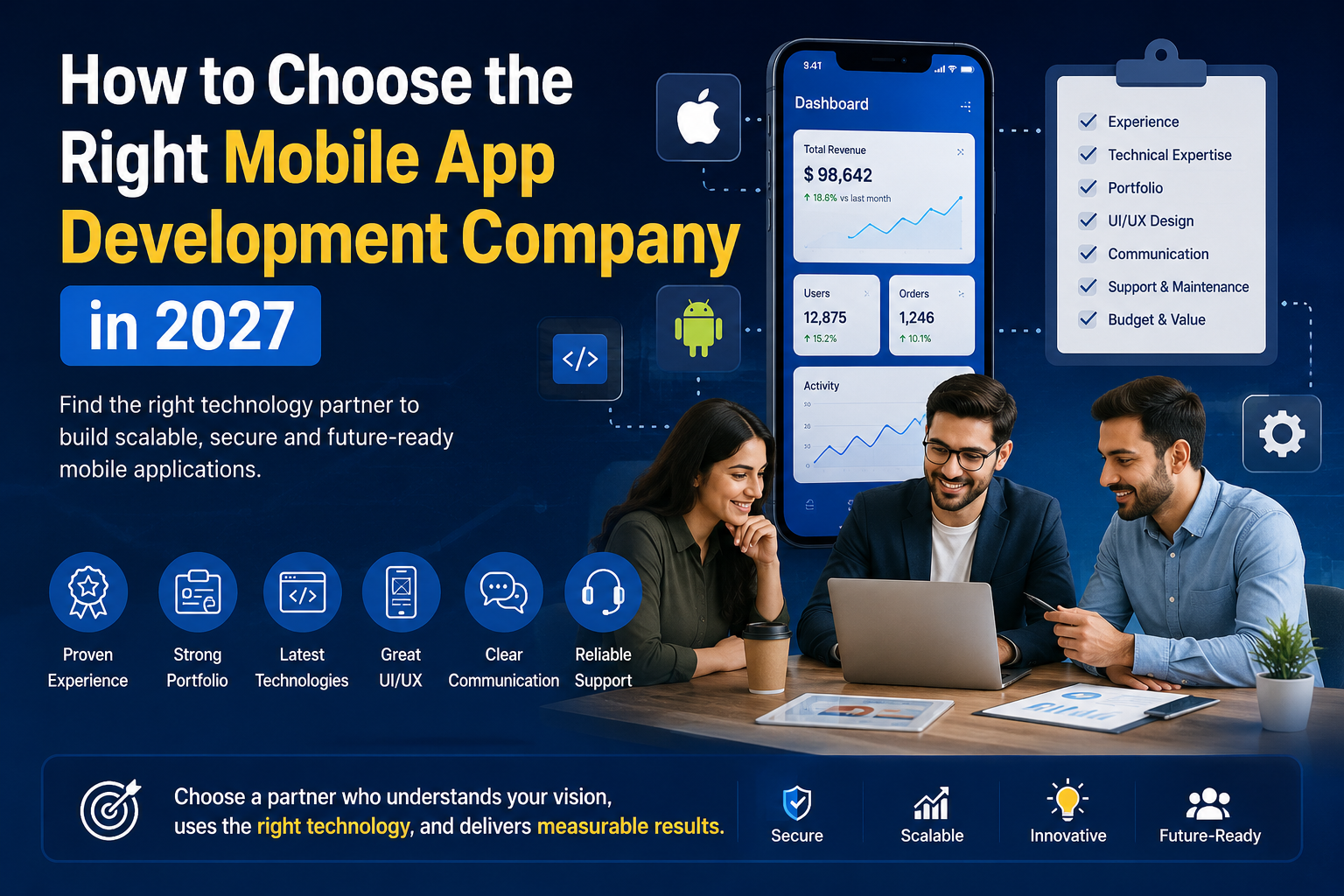
How to Choose the Right Mobile App Development Company in 2027


Your mobile app can become a successful mobile product or a costly misjudgment that will require rebuilding later, depending on your choice of mobile app development company.

The problem is that on the surface there are a lot of development companies that look alike. They can provide services like Android and iOS development, Flutter or React Native, UI/UX design, backend development, integration with Artificial Intelligence, and post-launch support. They can also have a great portfolio on their websites and an attractive price.

However, it’s really about the way they think about your product, how they manage the development process, how they deal with risk and what they do once the app is released.

When choosing a mobile app development company in 2027, businesses must consider more factors than just coding. The best development partners will be familiar with product strategy, user experience, architecture, security, privacy, AI, testing, scalability, and app-store requirements and long-term maintenance.

This article will walk you through what to watch out for before hiring a mobile app development company in 2027, how to compare proposals, questions to ask, red flags to look out for as well as scoring different agencies before making your final decision. 

Quick Answer: How Do You Choose a Mobile App Development Company?

Selecting the right mobile app development company starts with setting the goals of your business, the target audience, the features you want in the app, the platform or platforms you’re going to build it on, the budget and the timeframe. Next, evaluate shortlisted companies for experience, proven portfolio, tech skills, UI/UX, development process, testing, security, communication, price clarity, source-code ownership, scalability, and post-launch support. 

Do not choose a company simply because it offers the lowest quote.

Instead, ask:

  • Has the company built applications similar to yours?
  • Can you verify its portfolio through live apps or case studies?
  • Does it understand your business problem rather than just your feature list?
  • Can it explain why a particular technology is appropriate?
  • Does it have a structured discovery and development process?
  • How does it handle security and privacy?
  • How does it test across real devices?
  • Who owns the source code and intellectual property?
  • What happens after launch?
  • Can the team support AI or other emerging technologies when they genuinely add value?

The best mobile app development partner is not necessarily the largest or cheapest company. It is the one that provides the best fit between your product requirements, technical needs, budget, risk level and long-term goals.


Why Choosing the Right Mobile App Development Company Matters

A mobile application is more than a collection of screens and features.

It may become the primary way customers:

  • Buy products
  • Book services
  • Make payments
  • Communicate with your business
  • Manage accounts
  • Consume content
  • Track orders
  • Access information
  • Interact with your brand

That means the development partner you choose can affect your application’s performance, security, usability, scalability and long-term cost.

A poorly planned application can create problems such as:

  • Slow performance
  • Frequent crashes
  • Poor user experience
  • Security vulnerabilities
  • Difficult maintenance
  • Expensive feature changes
  • App-store rejection
  • Scaling problems
  • Poor integration with backend systems

Conversely, the right development company will be able to validate your idea, prioritize features, choose an appropriate tech stack, create a user experience that works for you, test the application and prepare it for future growth.

Newer Android quality advice also focuses on performance, stability, compatibility, accessibility, privacy and testing over the devices and form factors supported.

Thus, selecting an application development firm ought to be taken into the business and technology factor, not just procurement. 

What to Define Before Hiring an App Development Company

Before contacting development companies, you should have a basic understanding of what you want to accomplish.

You do not need to prepare a complete technical specification. A good development partner should help you turn your idea into technical requirements.

However, these six areas should be clear.

1. Define Your Business Goal

Start with one question:

Why are you building this application?

Your objective might be to:

  • Generate revenue
  • Increase customer engagement
  • Sell products
  • Provide an online service
  • Automate business operations
  • Create a marketplace
  • Launch a subscription product
  • Build an MVP
  • Improve customer support
  • Extend an existing website or platform

Your business goal should influence your features and technology.

For example, an e-commerce app, healthcare application and internal employee application may all require mobile development, but their architecture, security and user experience requirements can be very different.

2. Identify Your Target Users

Define who will use your application.

Consider:

  • Location
  • Age group
  • Device preferences
  • Technical experience
  • User problems
  • Accessibility requirements
  • Frequency of use
  • Purchasing behavior

Your development partner should understand the users before recommending functionality.

3. Separate MVP Features From Future Features

One of the most common mistakes is trying to build everything in version one.

Create two lists:

Must-have features

These are required for the initial product.

Future features

These can be introduced after launch.

For example, an e-commerce MVP might require:

  • Registration
  • Product browsing
  • Search
  • Cart
  • Checkout
  • Payment
  • Order tracking
  • Notifications

Advanced recommendations, loyalty programs, AI shopping assistants and additional integrations could be introduced later.

A good development company should help you prioritize rather than simply accepting every requested feature.

4. Decide Which Platforms You Need

Determine whether your product needs:

  • Android
  • iOS
  • Both Android and iOS
  • Tablets
  • Foldables
  • Wearables
  • Other connected devices

The answer can influence whether native or cross-platform development is appropriate.

5. Establish a Budget Range

Your development budget should account for more than coding.

Consider:

  • Discovery
  • UX/UI design
  • Frontend development
  • Backend development
  • APIs
  • Third-party services
  • Testing
  • Security
  • Cloud infrastructure
  • App-store deployment
  • Maintenance

A realistic budget makes it easier to compare vendors.

6. Set a Realistic Timeline

Tell potential agencies when you would ideally like to launch.

However, avoid selecting a company simply because it promises the shortest timeline.

How to Shortlist Mobile App Development Companies

Do not immediately request proposals from 20 companies.

Create a shortlist of approximately 3–5 development partners.

For each company, review:

Step 1: Website

Check whether the company clearly explains its services, technologies and development process.

Step 2: Portfolio

Look for projects similar to yours.

Step 3: Live Applications

Whenever possible, download applications the company claims to have developed.

Step 4: Team

Find out who will actually work on your project.

Step 5: Reviews and Case Studies

Look for evidence of real client work rather than only testimonials.

Step 6: Discovery Process

Ask whether the company offers a structured discovery or product-planning phase.

Step 7: Proposal

Compare detailed proposals rather than headline prices.

Current competitors increasingly emphasize proof of relevant work, team transparency, discovery, IP ownership and post-launch support rather than simply listing technologies.

12 Things to Look for in a Mobile App Development Company

1. Relevant Mobile App Development Experience

Experience matters, but relevant experience matters more.

A company may have built 100 applications, but that does not automatically make it suitable for your project.

Look for experience with:

  • Industries similar to yours
  • Comparable user journeys and workflows
  • Business models similar to your application
  • Relevant third-party integrations and APIs
  • Security and compliance requirements similar to your project
  • Applications with comparable technical complexity

If you are building a marketplace, for example, ask about marketplace experience rather than simply asking how many apps the company has developed.

2. A Verifiable Portfolio

A portfolio should contain evidence, not just attractive screenshots.

Look for:

  • Live applications
  • App Store listings
  • Google Play listings
  • Case studies
  • Screenshots
  • User flows
  • Technical challenges
  • Business outcomes

If possible, download the applications.

Ask yourself:

Does the live product demonstrate the quality the company claims to deliver?

A screenshot alone cannot prove development capability.

3. Technical Expertise

A strong mobile app development company should have expertise appropriate to your project.

Depending on your requirements, this may include:

  • Swift
  • Kotlin
  • Flutter
  • React Native
  • Native Android
  • Native iOS
  • APIs
  • Backend development
  • Cloud infrastructure
  • Databases
  • Authentication
  • Payment integrations
  • Push notifications
  • Analytics
  • CI/CD
  • Automated testing

However, do not choose an agency simply because it lists a long technology stack.

Ask:

Why is this technology appropriate for my application?

A strong partner should explain the decision based on your product requirements.

4. Strong UI/UX Capabilities

Good application design is not simply about making screens look attractive.

A strong UI/UX process should consider:

  • User goals
  • Navigation
  • Information architecture
  • User flows
  • Accessibility
  • Visual hierarchy
  • Onboarding
  • Error handling
  • Conversion
  • Usability

Ask whether the agency provides:

  • Wireframes
  • Prototypes
  • Design systems
  • User-flow mapping
  • Usability testing

The design should support your business objective rather than exist separately from development.

5. A Structured Development Process

Ask the company to explain the complete process from idea to launch.

A mature process may include:

  1. Discovery
  2. Requirements analysis
  3. Product planning
  4. UX/UI design
  5. Technical architecture
  6. Development
  7. Testing
  8. Client review
  9. Deployment
  10. Post-launch support

One important question is:

What happens before the first line of production code is written?

If the answer is simply “we start development,” ask more questions.

A proper discovery phase can uncover missing requirements, technical risks and unnecessary features before they become expensive changes.

6. A Serious Testing Strategy

Testing should not happen only at the end.

Ask whether the team performs:

  • Functional testing
  • UI testing
  • API testing
  • Integration testing
  • Performance testing
  • Security testing
  • Compatibility testing
  • Device testing
  • Regression testing
  • Accessibility testing

Ask specifically:

Which real devices and operating-system versions will be tested?

This matters because mobile applications operate across different devices, screen sizes, OS versions and network conditions.

7. Strong Security and Privacy Practices

Security should be considered during architecture and development.

Ask about:

  • Authentication
  • Authorization
  • Encryption
  • Secure API communication
  • Secure storage
  • Credential management
  • Payment data
  • Permissions
  • Third-party SDKs
  • Data retention
  • Security testing

Also ask:

What happens if a security vulnerability is discovered after launch?

The agency should have a clear process for identifying, prioritizing and resolving security issues.

8. Clear Communication

Communication problems can damage a project even when the technical team is capable.

Ask:

  • Who is the primary contact?
  • Who manages the project?
  • How often are updates provided?
  • Which project-management tools are used?

If communication is poor before you sign the contract, it may become worse once development begins.

9. Transparent Pricing

A professional proposal should explain what is included.

Look for separate information about:

  • Discovery
  • Design
  • Development
  • Backend
  • Testing
  • Deployment
  • Third-party services
  • Cloud infrastructure
  • Maintenance
  • Support

Do not compare only the final number.

A low quote may simply exclude important work.

10. Source-Code and Intellectual Property Ownership

This is a critical contract issue.

Before development starts, clarify:


Source code: Who owns the code?

  • UI/UX: Who owns the designs?
  • Database: Who controls the data?
  • APIs: Who owns custom APIs?
  • Documentation: Will all documentation be provided?
  • Hosting: controls hosting accounts?
  • App stores: Who owns the developer accounts?
  • AI integrations: Who owns custom AI work?

Also ask:

Can another development company take over the application if necessary?

A professional handover should be possible.

11. Scalability

Your application may begin with 500 users and eventually need to support 500,000.

Ask how the architecture can handle:

  • More users
  • More transactions
  • Larger databases
  • Increased API traffic
  • More integrations
  • Additional features
  • Multiple regions

You do not need to over-engineer a small MVP.

But the initial architecture should not unnecessarily prevent future growth.

12. Post-Launch Support

Launching the application is not the end of the project.

You may need:

  • Bug fixes
  • OS compatibility updates
  • Security updates
  • Performance optimization
  • New features
  • Analytics
  • Monitoring
  • SDK updates
  • Store updates

Ask exactly what is included after launch.

Also ask whether support is:

  • Included for a limited period
  • Charged monthly
  • Charged hourly
  • Covered by an SLA
  • Available only during business hours

Native vs Cross-Platform App Development

Choosing between native and cross-platform development is an important technical decision.

There is no universally best option.

The correct choice depends on your product.

Native App Development

Native applications use platform-specific technologies such as:

  • Swift for iOS
  • Kotlin for Android

Native development can be a strong choice when:

  • Performance is critical
  • Deep device integration is required
  • Platform-specific functionality is important
  • Advanced graphics are required
  • The product needs highly specialized OS capabilities

Flutter App Development

Flutter allows developers to create applications for multiple platforms from a shared codebase.

It may be suitable when you want:

  • Faster cross-platform development
  • Consistent UI
  • Shared code
  • Reduced duplication
  • A unified development approach

However, Flutter should not be selected simply because it is popular.

React Native App Development

React Native can be useful for businesses that want cross-platform development and already have React or JavaScript expertise.

It can provide:

  • Shared development
  • Cross-platform delivery
  • Faster development for suitable projects
  • Access to native functionality when needed

Again, the application requirements should determine the technology.

How Should You Choose?

Ask your potential development partner:

Why do you recommend this technology for our application?

The answer should consider:

  • Performance
  • Budget
  • Time to market
  • Platform requirements
  • Device capabilities
  • Existing technology
  • Maintenance
  • Long-term roadmap

A good development company recommends technology based on your product—not simply the framework it prefers to sell.

How Important Is AI Expertise in 2027?

AI is becoming an increasingly important consideration when choosing a mobile app development company.

But businesses should be careful about selecting an agency simply because it advertises “AI development.”

The better question is:

What problem will AI solve for our users or business?

Potential mobile AI applications include:

  • AI assistants
  • Intelligent search
  • Personalized recommendations
  • Content generation
  • Document analysis
  • Voice interaction
  • Image understanding
  • Predictive functionality
  • Automated workflows
  • AI-powered customer support
  • Agentic workflows

Generative AI in Mobile Applications

Generative AI can be used to:

  • Generate content
  • Summarize information
  • Answer user questions
  • Personalize recommendations
  • Assist with workflows
  • Analyze documents

However, an AI feature should have a clear purpose.

Adding a chatbot to an application simply because AI is trending does not necessarily improve the product.

AI Agents and Agentic Experiences

AI applications are now shifting from responding to queries to assisting people in performing tasks.

An AI assistant could, for instance:

  • Know what a user wants. Be aware of a user’s request.
  • Access permitted information
  • Identify what to do
  • Carry out an approved activity
  • Confirm the result

Newer App Patterns such as intelligent and agentic experiences are becoming more commonplace in Android development and will be increasingly relevant to consider whether a development partner is familiar with these newer patterns. 

On-Device AI

On-device AI allows certain AI processing to happen directly on a user’s device.

Depending on the use case, this can provide benefits such as:

  • Improved privacy
  • Offline functionality
  • Reduced server dependency
  • Faster responses for certain tasks
  • Potentially lower inference costs

Android supports on-device AI capabilities, while Apple’s developer ecosystem also provides on-device foundation-model capabilities for suitable application experiences.

Therefore, if AI is central to your product, ask:

  • Which AI models will be used?
  • Which processing happens on-device?
  • What data is sent to external services?
  • How is user data protected?
  • How are AI responses tested?
  • What happens when AI produces an incorrect result?
  • What are the ongoing inference costs?

That is a much stronger evaluation than simply asking whether an agency “offers AI development.”

How to Evaluate Mobile App Security and Privacy

Security should be part of the architecture from the beginning.

Authentication

Ask how users will securely sign in.

Potential methods include:

  • Password authentication
  • Social login
  • Passkeys
  • Multi-factor authentication
  • Phone verification

Data Encryption

Sensitive information should be appropriately protected during transmission and storage.

API Security

Ask how APIs are:

  • Authenticated
  • Authorized
  • Rate limited
  • Monitored
  • Protected from unauthorized access

Secure Storage

Sensitive credentials, tokens and user information should not be stored insecurely on the device.

Third-Party SDK Security

Third-party libraries can introduce security and privacy risks.

Your development team should know:

  • Which SDKs are being used
  • Why they are required
  • What data they collect
  • How they are updated
  • What happens if a vulnerability is discovered

Android’s current quality guidance explicitly considers third-party SDKs part of the application’s overall technical responsibility.

Privacy

Ask:

  • What information does the app collect?
  • Why does it collect it?
  • Where is the information stored?
  • Who can access it?
  • How long is it retained?
  • Which third parties receive it?

Privacy should be considered during product planning rather than added just before app-store submission.

How to Evaluate an Agency’s Development Process

A reliable development company should be able to explain its process clearly.

Discovery

The team should understand:

  • Business goals
  • Target audience
  • User problems
  • Competitors
  • Features
  • Integrations
  • Risks

Product Planning

Requirements should be prioritized into:

  • MVP
  • Phase 2
  • Future improvements

UX/UI Design

The team should map user journeys before building the final interface.

Technical Architecture

The architecture should define:

  • Frontend
  • Backend
  • Database
  • APIs
  • Authentication
  • Cloud infrastructure
  • Third-party services

Development

Features should be built in manageable iterations.

Testing

Testing should happen continuously rather than only before launch.

Deployment

The agency should prepare the application for the required stores and environments.

Post-Launch

Monitoring, maintenance and future improvements should be planned before launch.

How Mobile App Testing Should Work

A professional QA process should test the application under realistic conditions.

Functional Testing

Does every feature perform the required function?

UI Testing

Does the interface behave correctly across supported screen sizes?

API Testing

Does the application communicate correctly with backend systems?

Performance Testing

Does the application remain responsive?

Device Testing

Does it work across the devices your users actually use?

Network Testing

What happens when:

  • The network becomes slow?
  • The connection disappears?
  • The user changes from Wi-Fi to mobile data?

Security Testing

Can unauthorized users access restricted information?

Regression Testing

Does a new update break an existing feature?

Accessibility Testing

Can users with different accessibility needs use the application effectively?

Android’s current quality guidance includes areas such as stability, performance, compatibility, accessibility and testing across supported form factors.

Ask for the agency’s QA process before signing a contract.

App Store and Google Play Launch Experience

An application is not finished when the code is complete.

Your development partner should understand the release process for:

  • Apple App Store
  • Google Play

This can include:

  • Store metadata
  • Screenshots
  • App descriptions
  • App icons
  • Privacy information
  • Testing tracks
  • Release configuration
  • Version management
  • Compliance
  • Store submission

Ask:

How many applications has your team successfully launched?

Then ask a more important question:

Who will manage the submission and resolve store-review issues if the application is rejected?

Apple’s current review guidance emphasizes testing, complete functionality, accurate information and appropriate privacy disclosures before submission.

How Much Does It Cost to Hire a Mobile App Development Company?

There is no universal mobile app development price.

The cost depends on:

  • Number of platforms
  • Features
  • UI/UX complexity
  • Backend requirements
  • API integrations
  • Payment systems
  • Real-time functionality
  • AI functionality
  • Security requirements
  • Admin dashboard
  • Testing
  • Infrastructure
  • Maintenance

A simple MVP can have very different requirements from an enterprise application.

Common Pricing Models

Fixed Price

A defined scope is agreed upon at a defined price.

This works best when requirements are relatively stable.

Time and Materials

You pay based on the time and resources used.

This can work well for evolving products.

Dedicated Development Team

A dedicated team works on the product over an extended period.

This can be useful for continuously evolving applications.

Milestone-Based Development

Payments are tied to agreed project milestones.

The important point is to compare scope, not just price.

A cheaper proposal may exclude:

  • QA
  • UX research
  • Deployment
  • Documentation
  • Maintenance
  • Security
  • Backend development

Always normalize the proposals before comparing them.


Should You Run a Discovery or Pilot Before Full Development?

For complex or high-value applications, consider starting with a discovery phase or limited technical pilot.

A discovery phase can help validate:

  • Product requirements
  • User flows
  • Technical architecture
  • Technology selection
  • Third-party integrations
  • Security requirements
  • Development estimates

For technically risky projects, a small proof-of-concept can also test a critical feature before committing to full development.

For example, if your application depends on:

  • Real-time video
  • Complex AI
  • Bluetooth
  • Advanced maps
  • IoT
  • High-volume transactions
  • Complex payment systems

a technical prototype can expose risks early.

This approach also helps you evaluate the development team based on actual work rather than sales presentations.

Agency vs Freelancer vs In-House Team

There are several ways to build a mobile application.

Option Best For Main Advantage Main Limitation
Freelancer Small/simple apps Lower overhead Limited team depth
Agency Most business apps Multiple specialists Higher cost than a single freelancer
In-house Long-term products Maximum internal control Hiring and management overhead
Dedicated team Growing products Ongoing development capacity Requires long-term commitment

Freelancer

A freelancer may be suitable for:

  • Simple MVPs
  • Prototypes
  • Small applications
  • Limited feature development

Mobile App Development Agency

An agency can provide multiple disciplines such as:

  • Product strategy
  • UX/UI
  • Developers
  • Backend engineers
  • QA
  • Project management
  • DevOps
  • Deployment

This can be valuable for more complex applications.

In-House Team

An internal team can make sense when mobile development is a core, long-term business function.

Dedicated Team

A dedicated development team can be useful when you need ongoing development without immediately building a large internal department.

The right option depends on your:

  • Budget
  • Product complexity
  • Timeline
  • Internal resources
  • Long-term strategy

How to Choose a Mobile App Development Company in India

If you are considering an Indian development company, evaluate it using the same quality standards you would apply to any international partner.

However, also consider:

Communication and Time Zones

Make sure there is sufficient overlap between your working hours and the development team’s schedule.

International Client Experience

If you are targeting customers in the US, UK, Australia or other markets, ask whether the company has experience working with similar clients.

Contract and Ownership Terms

Clearly document:

  • Source-code ownership
  • Intellectual property
  • Confidentiality
  • Payment milestones
  • Deliverables
  • Termination
  • Handover

Quality Assurance

Do not assume that a lower development cost means lower quality—or that a higher price guarantees quality.

Evaluate actual work, team capability and process.

Post-Launch Support

Confirm how support works after the application launches and whether support is available during your business hours.

The current 2026 search landscape also includes dedicated guides targeting businesses choosing mobile app development companies in India, so this is a useful secondary search-intent variation to address naturally without turning the entire article into an India-specific page.

10 Red Flags to Watch For

1. An Unrealistically Low Quote

If one proposal is dramatically cheaper, find out what has been excluded.

2. Guaranteed Timelines Before Discovery

A company cannot accurately estimate a complex application without understanding the scope.

3. No Verifiable Portfolio

If the agency cannot show relevant work, ask why.

4. Only Screenshots, No Live Apps

A portfolio should ideally include evidence of actual shipped products.

5. No Clear Technology Recommendation

The agency should explain why its recommended architecture fits your project.

6. No Testing Strategy

If testing is treated as an afterthought, quality risks increase.

7. No Security Discussion

A development partner should be comfortable discussing security and privacy.

8. Unclear Source-Code Ownership

Do not leave ownership terms unclear.

9. No Post-Launch Plan

Every application needs some form of ongoing maintenance.

10. Too Many Technology Buzzwords

AI, blockchain, cloud, IoT and automation do not automatically make an application better.

Technology should solve a real user or business problem.

15 Questions to Ask Before Hiring a Mobile App Development Company

Before signing a contract, ask every shortlisted company:

  1. Have you built an application similar to ours?
  2. Can we see live applications or relevant case studies?
  3. Who will actually work on our project?
  4. Will the work be handled internally or outsourced?
  5. Which technology stack do you recommend and why?
  6. What happens during the discovery phase?
  7. Who owns the source code and intellectual property?
  8. Which third-party SDKs and services will be used?
  9. How will the architecture scale as users increase?
  10. Who handles App Store and Google Play submission?
  11. What support is included after launch?
  12. What happens if we decide to change development partners?

Do not just collect the answers.

Compare the quality and specificity of the answers.

A vague answer can be as informative as a bad answer.

Mobile App Development Company Evaluation Scorecard

If you are comparing several development companies, use a weighted scorecard.

Evaluation Factor Weight
Relevant Experience 15%
Technical Expertise 15%
Portfolio Quality 10%
UI/UX Capabilities 10%
Development Process 10%
Security & Privacy 10%
Communication 10%
Pricing Transparency 10%
Post-Launch Support 5%
AI & Modern Technology Expertise 5%
Total 100%

Score each company from 1–5.

Then calculate:

Score × Weight = Weighted Score

This makes your decision more objective.

For example, a company with an excellent portfolio but poor communication should not automatically win.

Likewise, a company with the lowest price should not automatically win.

Mobile App Development Company Checklist for 2027

Before hiring an app development partner, check the following:

  • Relevant mobile app development experience
  • Verifiable portfolio
  • Live applications
  • Relevant industry experience
  • Strong UI/UX process
  • Native development expertise
  • Cross-platform expertise
  • Flutter or React Native expertise where appropriate
  • Backend development capabilities
  • API integration experience
  • Security practices
  • Privacy awareness
  • Testing strategy
  • Real-device testing
  • Accessibility testing
  • App Store experience
  • Google Play experience
  • AI development capabilities where relevant
  • Understanding of on-device AI where relevant
  • Scalable architecture
  • Clear communication
  • Transparent pricing
  • Source-code ownership
  • Intellectual property terms
  • Documentation
  • Post-launch maintenance
  • Support SLA
  • Clear change-request process
  • Handover process

You do not need a company that checks every technology box.

You need a company that checks the right boxes for your application.

Why Businesses Choose ThirdEssential

When it comes to mobile app development, the key is to select a partner who appreciates both your technology needs and your business goals.

Our mobile application development process at ThirdEssential is based on creating a customized digital product that is tailored to the needs of a specific business instead of applying a one-size-fits-all technology or development model to all projects.

We can help businesses with: 

  • Custom mobile application development
  • Android app development
  • iOS app development
  • Cross-platform app development
  • UI/UX design
  • API and backend integration
  • Application testing
  • App deployment
  • Ongoing maintenance and support

When evaluating ThirdEssential alongside other development companies, we recommend using the same criteria outlined in this guide:

  • Relevant experience
  • Portfolio quality
  • Technical expertise
  • Development process
  • Security
  • Communication
  • Pricing transparency
  • Ownership
  • Scalability
  • Post-launch support

That allows you to make a decision based on evidence and project fit rather than simply choosing the company with the lowest quote.

If you are planning a new application or improving an existing mobile product, you can explore our mobile app development services In Indore and discuss your requirements with the ThirdEssential team.

Frequently Asked Questions

What should I look for in a mobile app development company?

Look for relevant experience, a verifiable portfolio, technical expertise, UI/UX capabilities, a structured development process, strong testing, security practices, transparent pricing, clear source-code ownership and post-launch support.

How do I choose the right mobile app development company?

Start by defining your business goals, target users, features, platforms, budget and timeline. Then shortlist three to five companies and compare their portfolio, technical expertise, process, security, pricing, communication, ownership terms and support.

How do I evaluate a mobile app development company?

Evaluate the company based on evidence rather than promises. Review relevant live applications, case studies, technical recommendations, team structure, development process, testing strategy, security practices, pricing and post-launch support.

What questions should I ask a mobile app development company?

Ask about relevant experience, live projects, team members, technology recommendations, discovery, UX/UI, testing, security, source-code ownership, intellectual property, third-party services, scalability, app-store submission and post-launch support.

How much does it cost to hire a mobile app development company?

The cost depends on application complexity, number of platforms, features, UI/UX requirements, backend development, integrations, security, testing, AI functionality and ongoing maintenance. There is no single price that applies to every mobile application.

How long does it take to develop a mobile app?

The timeline depends on the application’s scope and complexity. Discovery, design, backend development, integrations, testing and app-store submission can all affect the schedule. A reliable company should provide an estimate after understanding the requirements.

Should I choose native or cross-platform mobile app development?

It depends on your product. Native development can be appropriate when performance and deep platform integration are priorities. Cross-platform development can be useful when you want to share development across Android and iOS. Your development partner should explain the recommendation based on your actual requirements.

How important is AI expertise when choosing a mobile app development company in 2027?

It’s a matter of knowing whether you’re just looking to have someone write code, or whether you’re searching for a mobile app development partner that can assist you in creating a sustainable digital product.

Before you begin creating a new mobile app, make sure you have your business goals and core features figured out. Next, apply the criteria outlined in this guide to select the development company that is right for your product, users and business goals. 


Final Thoughts

It is not just about finding developers who can create an app; it is about selecting the mobile app development company in 2027 that can help you develop your app.

It’s about locating a technology partner who will be able to support you in making those correct choices before, during and after development. 

Before signing a contract, evaluate:

  • Relevant experience
  • Portfolio quality
  • Technical expertise
  • UI/UX capabilities
  • Discovery and planning
  • Native and cross-platform options
  • AI capabilities
  • Security and privacy
  • Testing
  • App-store experience
  • Pricing
  • Source-code ownership
  • Intellectual property
  • Scalability
  • Communication
  • Post-launch support

Most importantly, make comparisons between evidence, not promises.

Consider real-life applications. Ask detailed questions. Make a comparison of proposals based on the same criteria. Know what you’re purchasing. Establish ownership of the product. Also, ensure that the developer has a viable plan to support the application once it goes live.

It should not just be a matter of a “yes” or “no” to any feature request. 

They should be able to explain:

What should we build?

Why should we build it?

Which technology should we use?

What happens after launch?

It’s a matter of knowing whether you’re just looking to have someone write code, or whether you’re searching for a mobile app development partner that can assist you in creating a sustainable digital product.

Before you begin creating a new mobile app, make sure you have your business goals and core features figured out. Next, apply the criteria outlined in this guide to select the development company that is right for your product, users and business goals.

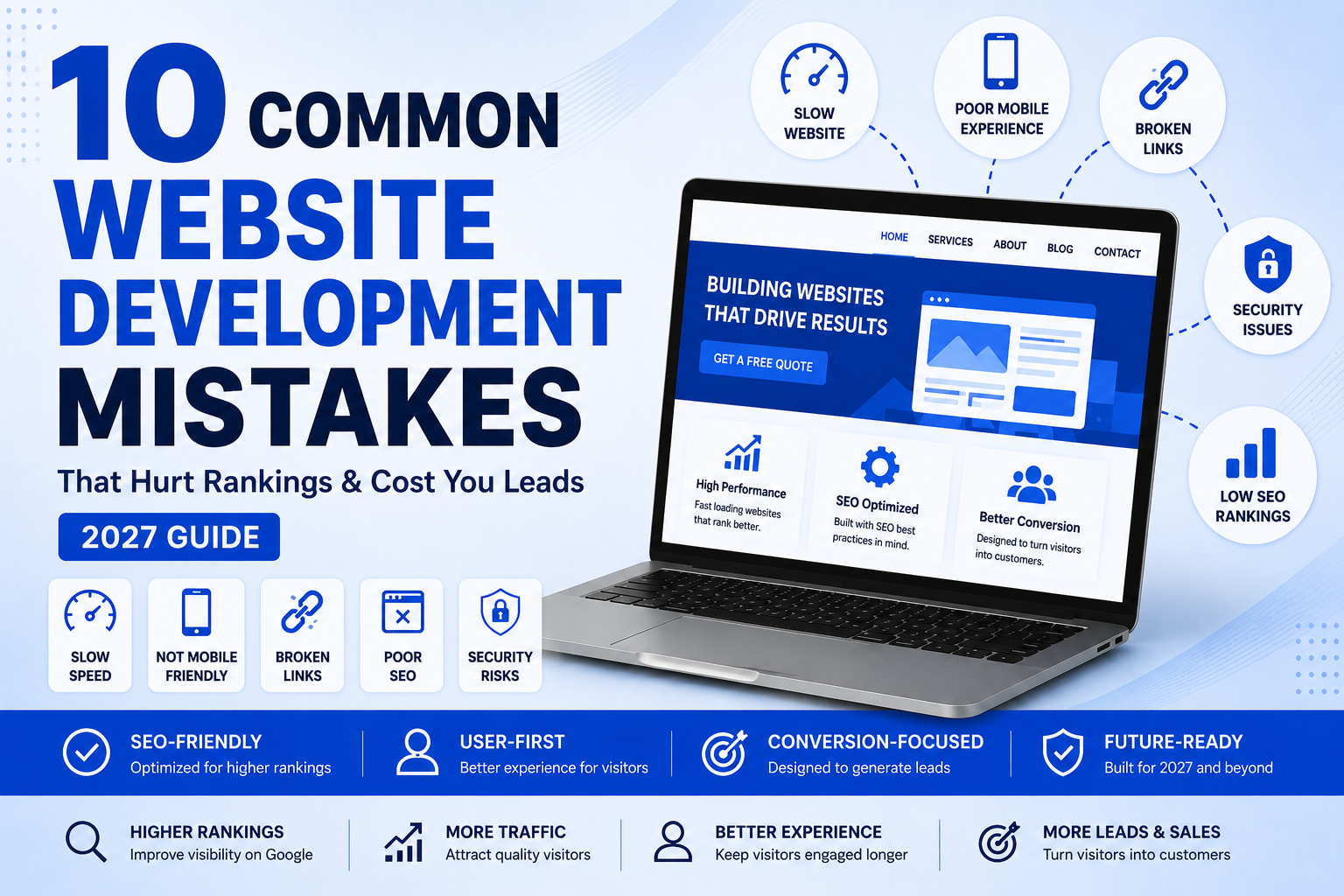
10 Common Website Development Mistakes That Cost Businesses Leads in 2027 (And How to Fix Them)

What Are the Most Common Website Development Mistakes?

Some of the most frequent website development mistakes involve slow website loading speeds, lack of mobile responsiveness, confusing website navigation, lack of implementable SEO, missing calls-to-action, outdated security protocols, poorly optimized images, broken links, poor accessibility, and failing to maintain your website.

These problems can lower your website’s rankings on Google, affect the user experience, and it can impact the conversion rate. In 2027, a successful website will be fast, mobile-friendly, secure, easy to navigate, search engine optimized and also designed to help users achieve their objectives with as much ease as possible. 

Introduction

Imagine spending thousands of dollars on a beautiful website only to realize that it isn’t bringing in customers.

Sadly, this occurs more frequently than business owners would like.

Many business owners feel that they have a website, and that is all they need. In practice, though, creating a website is the starting point. If the site is slow, difficult to navigate, not optimized for search engines or doesn’t answer visitors’ questions, potential customers will leave within a few seconds and look elsewhere.

The role of today’s websites is not just so much to display information. They will be responsible for educating visitors, building trust, generating leads, and being one seamless experience on their desktop, tablet and smartphone.

Search engines also have undergone many changes. Google now considers technical performance, helpful content, user experience, security, accessibility and trustworthiness of websites when assessing their performance. AI Search experiences also reward websites that give the users accurate, clear, and useful answers to their queries.

Any development error, even the smallest of them, can have a major effect on your online visibility and business growth.

From a new website to a redesign, steering clear of these blunders can keep you from spending money unnecessarily, time or perhaps qualified leads.

In this comprehensive guide, we will be discussing the most common mistakes businesses tend to make while creating websites for their businesses in 2027 and explaining why they are important, so you can implement them and make your website better for both users and Google. 

Why Website Development Matters More Than Ever in 2027

Your website no longer just serves as a digital brochure, but is frequently the first time potential customers interact with your business. It can often form their initial impression within seconds.

A professionally designed website can easily help visitors find your information or help them to navigate to your site quickly, which will help to build trust in your brand, and will help to lead them to take some form of action, be it requesting a quote, booking a consultation or even making a purchase.

On the other hand, a badly designed website can cause obstacles to your visitors and make it difficult for them to engage with your business.

For example:

  • Slow websites put up more “bounce rates”.
  • It can be hard for users to find important information when it is confusing to navigate.
  • Lack of mobile optimization leads to a bad user experience for smartphone users.
  • Poor technical SEO hobbles searchability.
  • The lack of security measures brings down customer trust.
  • Lack of accessibility prevents potential customers from accessing the product.
  • Several disciplines are involved with modern website development:
  • User Experience (UX)
  • User Interface (UI)
  • Technical SEO
  • Website Performance
  • Accessibility
  • Security
  • Conversion Optimization
  • Mobile Responsiveness
  • Content Structure

If all of these factors are aligned, your website becomes a valuable asset to your business that will consistently bring in leads and help the business grow over time.

Companies that make investments in professional website development will be more inclined to:

Optimize websites for search engines. Optimize websites for search engine ranking

  • Increase website traffic
  • Increase qualified leads.Tackle better leads.
  • Build customer trust
  • Reduce bounce rates
  • Improve conversion rates

Avoid being outcompeted by other businesses in their field.

From startups to local service providers and expanding enterprises, a robust website provides a solid basis for digital marketing strategies.

Looking for expert help? We create high-performance, search engine optimized websites that help businesses expand at Third Essential. Check out our Website Development Services to see how we can help produce a website that can help you achieve your long-term objectives. 

Mistake #1: Prioritizing Design Over Performance

While a website may gain attention with its visual appeal, it will lose it if it takes a long time to load or appears unresponsive.

Many businesses spend a lot of money on creating animations, high-resolution media and elaborate visual effects and fail to take into account the impact these have on performance.

Today’s users demand that websites open almost immediately. A few seconds can make all the difference, and that can result in more bounces and less conversions. 

Why This Happens

Developers often include:

  • Large images
  • Unoptimized videos
  • Excessive JavaScript
  • Multiple animation libraries
  • Heavy page builders
  • Unnecessary plugins

These characteristics can enhance looks, but can also make for a substantial drop in performance if not done properly. 

Why It Matters

Slow websites create poor user experiences.

Visitors may:

  • Leave before the page loads
  • View fewer pages
  • Spend less time on your website
  • Lose confidence in your business

Performance also affects search visibility because Google considers page experience and Core Web Vitals when evaluating websites.

How to Fix It

  • Compress images before uploading.
  • Use modern image formats like WebP.
  • Remove unnecessary plugins.
  • Enable browser caching.
  • Minify CSS and JavaScript files.
  • Use a reliable hosting provider.
  • Implement lazy loading for images.

Mistake #2: Ignoring Mobile Users

Larger number of people are using internet on smartphones than on desktop PCs.

However, numerous business sites are still built for big screens. 

This often results in:

  • Tiny text
  • Difficult navigation
  • Buttons that are too close together
  • Horizontal scrolling
  • Broken layouts

These issues frustrate users and reduce conversions.

Why It Matters

Having a mobile friendly website offers a better user experience for all visitors, no matter their device.

Responsive design also helps search engines efficiently crawl and index your content. 

Some signs that indicate your website needs improvement are as follows. 

  • It is challenging to read the text.
  • Navigation menus are perplexing.
  • Forms are difficult to fill out. 
  • Images extend beyond the screen.
  • Buttons are difficult to tap.

Best Practices

  • Use responsive layouts.
  • Optimize fonts for smaller screens.
  • Ensure buttons are easy to tap.
  • Simplify navigation.
  • Test across multiple devices.

Mistake #3: Poor Website Navigation

It is essential that visitors can not find important information.

Users who don’t find the services, pricing, contact information or FAQ within a few clicks, might abandon your website in their entirety.

Bad directionality adds unneeded friction. 

Common Navigation Mistakes

  • Too many menu items
  • Unclear page names
  • Hidden navigation
  • Broken internal links
  • No search functionality
  • Inconsistent menus

Why It Matters

Good navigation improves:

  • User experience
  • Time on site
  • Page views
  • Conversion rates
  • Search engine crawlability

Best Practices

  • Structure your navigation in an orderly fashion.
  • Use descriptive labels for menus.
  • Have a uniform website navigation.
  • Have distinct links to key pages. 

Mistake #4: Ignoring SEO During Website Development

A major error made by businesses is when they see SEO as something that can be tacked on to the completed website.

In fact, SEO should actually be integrated into the development process from the start.

Technical SEO lays the foundation for search visibility. 

SEO development mistakes that can be avoided. 

  • Missing title tags
  • Duplicate meta descriptions
  • Incorrect heading hierarchy
  • Broken URLs
  • Poor internal linking
  • Missing XML sitemap
  • No structured data
  • Slow loading pages

Why It Matters

Even great content can fail to rank if it doesn’t have the right technical SEO.

Search engines require clear signals to determine the meaning, structure and relevance of your website. 

Best Practices

  • Make descriptive page titles.
  • Use 1 H1 per page.
  • Use headings (H2 and H3).
  • Develop internal logical links.
  • Optimize URLs.
  • Provide XML sitemap.
  • Use the appropriate structured data. 

Mistake #5: Poor Core Web Vitals Performance

Core Web Vitals are metrics that capture how consumers interact with your website, including: loading performance, responsiveness, and visual stability.

If the web site is heavy, doesn’t meet the standards for its resources or has an inefficient coding system, it will not meet these benchmarks. 

The Three Key Metrics

Largest Contentful Paint (LCP) is a metric for how fast the primary content loads.

Interaction to Next Paint (INP) is the measure of responsiveness to user interaction.

Cumulative Layout Shift (CLS): This index quantifies how stable the website has been in terms of the visual changes that have occurred while loading the page. 

Why They Matter

Improving Core Web Vitals can result in: 

  • Improved user satisfaction
  • Lower bounce rates
  • Better engagement
  • Stronger search performance

How to Improve

  • Optimize server response times.
  • Compress media files.
  • Reduce render-blocking resources.
  • Minimize layout shifts.
  • Load only essential scripts.

Mistake #6: Weak Website Security

Websites are secure and safeguard your business and your customers.

Unfortunately, many small businesses neglect to think about security until there is a problem. 

If a website is compromised, it can cause data loss, loss of customer trust and downtime. 

  • No SSL certificate
  • Weak passwords
  • Outdated plugins
  • Missing backups
  • No firewall
  • Poor user permission management

Why Security Matters

Visitors expect websites to be secure.

A secure website helps:

  • Protect customer information
  • Prevent malware infections
  • Reduce hacking risks
  • Maintain business credibility
  • Improve overall trust

Security Best Practices

  • Use HTTPS.
  • Keep your CMS and plugins up to date. 
  • Enable automatic backups.
  • Use a strong password and multi-factor authentication
  • Use a Web Application Firewall (WAF). 
  • Limit administrator access.

Mistake #7: No Clear Call-to-Action (CTA)

In your mind, visualize a visitor coming to your website after performing a search for your services. They enjoy your content, then they look around a few pages, and they may think that they might want to work with you. 

If they don’t know what to do next. 

  • Should they call?
  • Fill out a form?
  • Request a quote?
  • Book a consultation?
  • Download a brochure?

Not having a clear next step guide on your site means losing out on customers every day.

A great website without a Call-to-Action (CTA) is like a salesperson who doesn’t ask for the sale. 

Why It Matters

Many businesses websites get a lot of traffic but don’t get many leads because visitors don’t take action.

Each page must have one question to address: 

“What do you want the visitors to do next?

Without a clear CTA, users often leave the website—even if they’re interested in your services.

Common CTA Mistakes

  • There’s no CTA above the fold. There is no CTA above the fold.
  • The majority of buttons are competing for space.
  • Placeholders such as “Click Here.
  • There is a contact form at the bottom, which is hidden.
  • No phone number shown
  • Displays are not replaced during the CTA.No adjustment of displays before CTA.
  • Avoid using various CTAs within the same page 

Better CTA Examples

Instead of:

Submit

Use:

Get a Free Quote

Book a Free Consultation

Talk to Our Experts

Schedule a Website Audit

Start Your Project Today

You’re ready to begin your project right away!

These CTAs tell visitors what they’re getting. 

Real Business Example

An area service provider had more than 3,500 visitors to their website on a monthly basis, and just 12 leads per month. 

They have redesigned the website and they: 

  • Added a CTA above the hero section.
  • After each major chapter, put contact buttons.
  • Incorporated floating “Call Now” button on mobile
  • Simplified their contact form 

Inquiries jumped with no increase in advertising within 3 months.

It’s not that there was more traffic, it’s that it was more convenient for people to reach out to the business. 

Expert Tip

Each key page should have one main objective. 

Ask yourself:

“What action do I want them to take if someone visits this page on the day of posting?

Plan around that objective. 

Mistake #8: Poor Content Structure

There is plenty of valuable information on many websites but visitors never read it.

Why not?

Because it is hard to scan.

The modern reader does not read every single word. He skims through the text.

If you have a wall of text, visitors may leave your website without even trying to find the required information.

Moreover, Google appreciates structured content because it is easier to comprehend and use for search results and AI-based summaries.

Bad Signs of Content Structure

  • Very big paragraphs
  • Lack of headings
  • bullet points
  • less images
  • Table format not proper
  • Low FAQs
  • Long sentences

Why Is It Important to Structure Your Content

Proper formatting allows visitors to:

  • Find the answer quickly
  • Spend more time on the site
  • Understand complicated material
  • Navigate your content

Structured content also helps search engines to understand hierarchy of the page.

Good Signs of Content Structure

Not:

500-word paragraph

But:

Headings

  • Clear headings
  • Short paragraphs
  • Bullet points
  • Numbered lists
  • Images
  • Infographics
  • Comparison tables
  • FAQs

This improves readability and increases the likelihood of your content being used in featured snippets and AI-generated summaries.

Real Business Example

An IT company created a 2,800-word post that wasn’t ranking despite being informative.

By optimizing the structure and making sure it had:

  • Shorter paragraphs
  • H2 and H3 tags
  • Comparison tables
  • FAQs
  • More internal links

It began to rank for several long-tail keywords and get increased organic traffic in a couple of months.

No changes in the information – just better formatting.

Expert Tip

First of all, write for skimmers.

People should understand the essence of your page if they only read:

  • Headings
  • Bullet points
  • Highlighted tips
  • Images

And if they need more information, they will read further

Mistake #9: Ignoring Website Accessibility

Accessibility does not just mean compliance.

Accessibility means that all your visitors will be able to navigate your website comfortably.

A good website must be accessible since it is important in reaching out to many more people.

Most organizations overlook accessibility when developing websites.

Common Accessibility Mistakes

  • No alternate text for images
  • Color contrast is too low
  • Very small fonts
  • No keyboard accessibility
  • No captions for videos
  • Badly labeled buttons
  • Forms lacking labels

Why Accessibility Matters

Accessible websites:

  • Make it more usable
  • Boost customers’ trust
  • Encourage accessible design
  • Help search engines comprehend the content
  • Remove hurdles from the way of user

Many things that make something more accessible can also improve SEO.

Real Business Example

A case was reported by an e-commerce company whereby their users had challenges while making purchases through the use of mobile phones since the form on which they filled was not optimized for keyboard and screen reader accessibility.

This problem was solved after optimizing the form with regards to its labels and buttons. The improvement of forms and their accessibility benefits all users.

Expert Tip

Accessibility needs to be part of a project right from the start and not bolted on at the end.

Changes made during development are easier than rebuilding entire pages later

Mistake #10: Broken Links and Poor Internal Linking

Nothing irritates visitors more quickly than following a dead link.

Dead links will ruin your visitor experience and make your website look neglected.

On the other hand, many businesses ignore internal links and fail to capitalize on their advantages.

Common Problems

  • 404 pages
  • Broken menu links
  • Redirect chains
  • Old URLs
  • Missing internal links
  • Orphan pages
  • Incorrect redirects after redesigns

Why Internal Linking Matters

Internal links help:

  • Users find related content
  • Search engines understand the layout of your website
  • Distribute page ranking on your website
  • Stay on the site for longer
  • Crawling is done efficiently

An effective internal link strategy will help in creating topic authority as well.

Real Business Example

A professional services website hosted many informative blog articles; however, they were separate with very few connections to other pages within the site.

By adding proper relationships among service pages, blogs, and resource guides, visitors ended up reading more articles per visit, and search engines found it easier to establish relations.

Expert Tip

Every new blog post should link to:

  • Service page
  • Blog posts
  • Contact page
  • About page (where applicable)

Similarly, the service pages need to have links back to educational pages that address commonly asked questions by customers.

It forms an excellent content ecosystem.

Frequently Asked Questions (FAQs)

1. What are the most common website development mistakes?

The most common website development mistakes include slow loading speed, poor mobile responsiveness, weak technical SEO, confusing navigation, missing calls-to-action (CTAs), unoptimized images, broken internal links, poor accessibility, outdated plugins, and neglecting regular website maintenance. These issues can hurt search rankings, reduce user engagement, and lower conversion rates.

2. Why is website development important for SEO?

Website development lays the technical foundation for SEO. A well-developed website improves page speed, mobile usability, Core Web Vitals, crawlability, URL structure, schema markup, and user experience all of which help search engines understand and rank your content more effectively.

3. How often should a business website be updated?

A website should be monitored regularly, with security patches and plugin updates applied as needed. Content should be reviewed periodically to ensure it remains accurate and relevant, while a full technical and SEO audit is recommended at least once a year.

4. Does website speed affect Google rankings?

Yes. Website speed influences user experience and is one of the signals Google considers when evaluating page experience. Faster websites generally provide a better browsing experience, helping reduce bounce rates and improve engagement.

5. What is mobile-first website development?

Mobile-first development means designing and optimizing a website for smartphones before adapting it for larger screens. This approach ensures a better experience for the majority of users who browse on mobile devices.

6. What are Core Web Vitals?

Core Web Vitals are performance metrics that measure how users experience your website. They evaluate loading performance, responsiveness, and visual stability to help determine whether your site provides a smooth browsing experience.

7. How can I improve my website’s conversion rate?

Focus on clear calls-to-action, simple navigation, fast page loading, trust signals such as testimonials and reviews, easy-to-use contact forms, and content that answers visitors’ questions. A website that guides users naturally toward the next step is more likely to generate leads.

Final Conclusion

In 2027, a successful website is more than just pretty pictures. It should function well, respond to user inquiries, cultivate trust and facilitate user action.

Looking back on this guide, we’ve learned about the most frequent website development errors that can hinder search visibility, make users unhappy, and stifle business expansion. These enhancements not only boost page load times but also enhance mobile-friendliness, improve security measures, enhance accessibility, and optimize technical aspects like SEO.

The best websites are designed with users in mind. If visitors can easily find what they are looking for, get around easily, and know that you trust your business, they will be more inclined to be your customer.

Search engines are increasingly favouring sites that are high quality, expert and have a good user experience. These are the basics, and they’re not just for Google to rank your website; these are for your business to thrive for years.

No matter if you’re building a new website or enhancing a current site, it’s crucial to view your site as a continuously growing business asset rather than a one-and-done venture. 

Why Choose Third Essential?

We don’t build websites at Third Essential, we build digital experiences that help businesses grow.

Our approach combines:

  • User-focused website design
  • SEO-friendly development
  • Responsive mobile experiences
  • Fast-loading, performance-optimized websites
  • Technical SEO Best Practices
  • Conversion-focused layouts
  • Continuous website maintenance and support

All of our websites are designed to be scalable, high performing and accessible to users, so they can meet your marketing objectives and your customers’ expectations.

From startups to local businesses to established companies, we work closely with you to create a website that aligns with your brand and delivers measurable results. 

Website Development in Indore

If you are based in Indore or serve customers from all over Madhya Pradesh, make sure your website is optimized for search engine results as well as local search intent.

A great local seo strategy encompasses:

  • Optimized Google Business Profile
  • Having Consistent Name, Address, and Phone Number (NAP)
  • Location-specific landing pages
  • Schema markup at the local level.
  • Customer reviews
  • Blog articles that are relevant to the local community.
  • Fast mobile performance

The internal links between the service and location pages are correct.

For businesses in Indore, a professional website development company in indore combined with local SEO can be beneficial in boosting their visibility in the vicinity where they are looking for services online. 

Ready to Improve Your Website?

If your website is currently slow, dated, hard to maintain or not bringing the amount of leads you’d like, it is time to make some changes.

We know how to design a site that is not only beautiful, fast and search engine friendly, but one that is designed to help your business grow over time, which is what we do here at Third Essential.

We can provide you with a brand new website, redesign or technical enhancements on an existing site.

Contact Third Essential today to get a consultation and learn about how a third party developed website can help your business get more visitors, leads and improve results online.

SEO Trends in 2027: 15 Proven Strategies to Improve Rankings, Traffic & Business Growth

So much has changed in the world of search engine optimization (SEO) since the days when blogs and backlinks were the only way to rank higher. In SEO Trends To succeed in the 2027 landscape of online search, it is essential to develop content that is valuable, trustworthy, and user-centric, which can thrive in traditional search engines and in AI-driven search experiences such as Google AI Overviews, ChatGPT, Gemini, and Perplexity.

Today, Google’s algorithms are driven to reward content that showcases expertise, meets search intent, and offers a smooth user experience. Companies who are still using the old methods of SEO struggle to maintain their rankings and those who are following the new methods of SEO are still gaining more and more organic traffic and leads.

From businesses, marketers to SEO professionals, this guide sheds light on the upcoming trends and search developments that are set to define SEO in 2027 and offers actionable insights to boost your website’s ranking, visibility, and future success. 

Table of Contents

Why SEO Is Different in 2027

Search Intent Is More Important Than Keywords

AI Search & Generative Engine Optimization (GEO)

Build Topical Authority

Create Helpful, Experience-Based Content

EEAT Builds Trust

Technical SEO Still Matters

Core Web Vitals & User Experience

Optimize for AI Overviews

Internal Linking Strategy

Structured Data & Schema

Refresh Existing Content

Local SEO Continues to Grow

Measure SEO Performance

Future-Proof Your SEO Strategy

Why SEO Is Different in 2027

Modern SEO is no longer about manipulating algorithms—it’s about delivering the best possible answer to a user’s question.

Today’s search engines evaluate:

  • Search intent
  • Content quality
  • Experience and expertise
  • Website performance
  • User engagement
  • Brand authority
  • Technical health
  • Structured data

Instead of optimizing individual pages around a single keyword, successful businesses build comprehensive topic clusters that demonstrate authority across an entire subject.

1. Search Intent Is More Important Than Keywords

Keywords still help search engines understand your content, but intent determines whether your page satisfies users.

Ask yourself:

  • What problem is the visitor trying to solve?
  • What information do they expect?
  • What action should they take next?

For example, someone searching “SEO Trends 2027” isn’t looking for a definition of SEO. They want actionable insights that can improve rankings in today’s search landscape.

Expert Tip

Before writing any page, analyze the top-ranking results. Identify what questions they answer and then create content that’s more comprehensive, practical, and up to date.

2. AI Search Is Reshaping SEO

AI has revolutionized the way users find information.

Consumers are seeking conversational answers from Google AI Overviews, ChatGPT, Gemini and Perplexity more and more. These systems look for content that is: 

  • Accurate
  • Well-structured
  • Easy to understand
  • Supported by credible sources
  • Updated regularly

This has given rise to Generative Engine Optimization (GEO)—the practice of optimizing content for AI-powered search engines.

How to Optimize for AI Search

  • Answer questions clearly.
  • Use descriptive headings.
  • Include definitions and summaries.
  • Add FAQs.
  • Cite reputable sources.
  • Keep content updated.
  • Use schema markup.

Businesses that optimize for both traditional search and AI search gain greater visibility across multiple discovery platforms.

3. Build Topical Authority Instead of Publishing Random Blogs

Google rewards websites that demonstrate deep expertise.

Instead of writing isolated articles, create a content cluster.

Example:

SEO

  • Technical SEO
  • Local SEO
  • Keyword Research
  • Content Marketing
  • SEO Audits
  • Link Building
  • AI Search Optimization
  • Core Web Vitals
  • Schema Markup

Link these articles together naturally. This helps users navigate related topics and signals expertise to search engines.

4. Create Helpful Content That Demonstrates Real Experience

The most successful content provides genuine value—not just information.

Include:

  • Practical examples
  • Real scenarios
  • Step-by-step processes
  • Checklists
  • Common mistakes
  • Actionable recommendations

Instead of saying “improve website speed,” explain how to improve it using image optimization, browser caching, code minification, and lazy loading.

Helpful content builds trust and encourages users to spend more time on your website.

5. EEAT Continues to Influence Rankings

Google values content that demonstrates:

  • Experience
  • Expertise
  • Authoritativeness
  • Trustworthiness

Improve EEAT by:

  • Publishing author information
  • Updating content regularly
  • Sharing original insights
  • Referencing trusted sources
  • Including real business examples
  • Displaying certifications or awards where applicable

Trust is one of the strongest long-term ranking signals.

6. Technical SEO Remains Essential

Excellent content won’t perform well if search engines struggle to crawl or understand your website.

Regularly audit:

  • Crawl errors
  • XML sitemaps
  • Robots.txt
  • HTTPS
  • Broken links
  • Redirect chains
  • Mobile usability
  • Structured data

A technically healthy website supports better indexing, user experience, and long-term rankings.

Technical SEO Checklist

  •  Fast loading pages
  •  Secure HTTPS
  •  Mobile-friendly design
  •  Optimized images
  •  Clean URLs
  •  Valid schema markup
  •  Updated XML sitemap
  •  No broken links

7. Core Web Vitals & User Experience Matter

User experience remains a major ranking factor.

Focus on improving:

  • Largest Contentful Paint (LCP)
  • Interaction to Next Paint (INP)
  • Cumulative Layout Shift (CLS)

Simple improvements include:

  • Compressing images
  • Removing unused JavaScript
  • Lazy loading media
  • Using browser caching
  • Choosing reliable hosting

A faster website not only ranks better but also improves conversions.

8. Internal Linking Builds Authority

Internal links help users discover related content while distributing authority across your website.

For example, this article can naturally link to:

  • SEO Audit Guide
  • Technical SEO Services
  • Content Marketing
  • Website Design
  • Digital Marketing Services
  • AI Marketing
  • Contact Page

Use descriptive anchor text instead of generic phrases like “click here.”

9. Optimize for Google AI Overviews

AI-generated answers are becoming increasingly visible in search results.

Increase your chances of appearing by:

  • Answering questions directly
  • Using bullet points
  • Including numbered lists
  • Writing concise summaries
  • Adding FAQ sections
  • Implementing schema markup

The easier your content is to understand, the easier it is for AI systems to reference it.

10. Structured Data Improves Visibility

Schema markup helps search engines understand your content.

Recommended schema:

  • Article Schema
  • FAQ Schema
  • Breadcrumb Schema
  • Organization Schema
  • Local Business Schema

Structured data can increase your chances of earning rich results and improve click-through rates.

11. Refresh Existing Content

SEO is not a one-time task.

Update important pages every 6–12 months by:

  • Refreshing statistics
  • Adding new trends
  • Improving examples
  • Expanding sections
  • Removing outdated advice

Fresh content signals that your website remains relevant.

12. Diversify Your Content

Support written content with:

  • Infographics
  • Videos
  • Comparison tables
  • Screenshots
  • Checklists
  • Process diagrams

Visual content improves engagement and encourages visitors to stay on your site longer.

13. Local SEO Still Delivers Results

Businesses serving local markets should optimize:

  • Google Business Profile
  • Location pages
  • Customer reviews
  • Local citations
  • Consistent business information

Combining local SEO with strong website content improves both visibility and trust.

14. Measure What Matters

Instead of focusing only on rankings, monitor:

  • Organic traffic
  • Click-through rate
  • Qualified leads
  • Conversion rate
  • User engagement
  • Returning visitors
  • Keyword growth

Regular reporting helps identify opportunities and improve future SEO strategies.

15. Future-Proof Your SEO Strategy

Search is a constantly changing industry, but there’s one thing that’s held constant: make great content that helps people.

Organic traffic will keep flowing to websites that cater to search intent, technical optimization, topical expertise, and user experience.

Don’t follow every algorithm change, create a website that will always add value. 

Quick SEO Checklist

✔ Understand search intent

✔ Create comprehensive content

✔ Build topical authority

✔ Improve Core Web Vitals

✔ Optimize for AI Search

✔ Add structured data

✔ Strengthen internal linking

✔ Refresh content regularly

✔ Track performance in Google Search Console

✔ Focus on user experience

Frequently Asked Questions

Is SEO still worth investing in?

Yes. SEO remains one of the highest ROI digital marketing strategies because it attracts users actively searching for your products or services.

What is Generative Engine Optimization (GEO)?

GEO is the practice of optimizing content so it can be understood, cited, and surfaced by AI-powered search platforms such as Google AI Overviews, ChatGPT, Gemini, and Perplexity.

How often should SEO content be updated?

High-value pages should be reviewed every six to twelve months to keep information accurate and competitive.

Does AI replace SEO?

No. AI changes how content is discovered, but high-quality, trustworthy, and well-structured content remains essential.

What’s the biggest SEO trend in 2027?

Optimizing for both traditional search engines and AI-powered search experiences while focusing on search intent, EEAT, technical SEO, and topical authority.

Conclusion

In 2027, SEO is all about trust, expertise, and providing value to users. By focusing on search intent, AI-ready optimization, technical SEO, and topical authority, businesses can better position themselves for sustainable rankings and long-term growth success.

Rather than ‘fishing’, invest in resources that actually help people, that solve problems, and that give them a great experience. Search is a constantly changing landscape, and those sites that focus on quality, credibility and ongoing enhancement will continue to stay ahead of the curve.

When you’re ready to strengthen your SEO strategy, increase organic visibility, and prepare your website for the future of search, partnering with an experienced digital marketing agency can make all the difference. At Third Essential, we help businesses improve their search rankings, drive qualified organic traffic, and achieve sustainable long-term growth through data-driven SEO strategies. Whether you’re looking to optimize your existing website or build a future-ready SEO plan, our team is here to help. Contact us today to discover how we can improve your rankings and grow your business online.

5 Best Voice Search SEO Techniques to Improve Rankings in 2027

5 Best Voice Search SEO Techniques to Improve Rankings in 2027

The way people search online has altered significantly over the past few years. Rather than typing small phrases into Google, people now have the option to ask full questions via virtual assistants like Google Assistant, Siri, Alexa or even AI voice apps like ChatGPT Voice. Voice search is now a part of daily life whether they are driving, cooking or just looking for a quicker search. Learn the best voice search SEO techniques for 2027.

This change has also influenced how the search engines interpret and rank content. Google’s algorithms are more sophisticated than ever in understanding the intention of the searcher, the natural language and conversational searches. This means that traditional methods of keyword optimization might not be sufficient to remain competitive for websites.

We at ThirdEssential believe that successful SEO doesn’t involve a single keyword, it’s about writing content that is helpful and trustworthy and answers people’s questions. Voice search optimization includes technical SEO, content strategy, and user experience, enabling businesses to be present in voice search results, AI-created answers, and local search results.

In this guide, you’ll learn five proven voice search SEO techniques that can help improve your visibility in 2027 and beyond. 

Why Voice Search Matters in 2027

Voice search is growing because it is fast and convenient, and it is becoming more accurate. The modern AI systems understand the context, interpret the conversational language and give direct answers without merely showing a list of links. 

Users commonly ask questions like:

  • “Who offers the best SEO agency near me?”
  • “How do I improve my website ranking?”
  • “What’s the best digital marketing company for small businesses?”
  • “How can I optimize my website for voice search?”

Unlike traditional searches, voice searches are:

  • Longer and conversational
  • Based on specific questions
  • Focused on solving immediate problems
  • Driven by clear search intent

For businesses, this creates an opportunity to attract highly qualified visitors who are actively looking for answers or services.

Voice Search vs Traditional Search

Traditional Search                     Voice Search
SEO Agency Which SEO agency is best for small businesses?
Dentist NYC Where can I find the best dentist near me?
Weather Delhi What’s the weather like in Delhi today?
Plumber Find an emergency plumber open now.

Notice that voice search sounds like a real conversation. Users seeking information through voice search and AI-generated search summaries are more likely to be interested in longer, intent-focused queries, so optimizing your content for these types of queries is a good way to increase your opportunities. 

1. Optimize for Conversational Long-Tail Keywords

One of the biggest differences between traditional SEO and voice search SEO is the type of keywords people use.

Instead of searching for “Voice Search SEO,” users ask:

  • How do I optimize my website for voice search?
  • What are the best voice search SEO techniques?
  • How does voice search affect Google rankings?

These longer phrases better reflect how people naturally speak.

Best Practices

  • Use question-based keywords throughout your content.
  • Write naturally instead of forcing exact-match keywords.
  • Cover related topics that support the main keyword.
  • Include synonyms and semantic keywords.

For example, instead of repeating “Voice Search SEO” multiple times, naturally include phrases like:

  • Voice search optimization
  • Conversational SEO
  • AI search optimization
  • Search intent SEO
  • Google voice search
  • Long-tail keywords
  • Natural language SEO

Google understands relationships between words, so comprehensive content often performs better than repetitive keyword usage.

2. Create Helpful FAQ Sections

Voice assistants frequently use FAQ content because it provides clear and direct answers.

Adding a Frequently Asked Questions section to important pages improves user experience while increasing your chances of appearing in featured snippets and voice search results.

Example FAQs

What is Voice Search SEO?

Voice Search SEO is the process of optimizing your website to answer spoken search queries naturally, making it easier for search engines and AI assistants to understand your content.

Why is voice search important?

Voice searches are often performed by users who are ready to make a decision or take action. Optimizing for these searches can improve visibility and attract highly relevant traffic.

How do I rank for voice search?

Focus on:

  • Natural language content
  • Fast page speed
  • Mobile-friendly design
  • Structured data
  • High-quality answers
  • Featured snippet optimization

When writing FAQs, answer the question in the first sentence before providing additional details. This improves your chances of appearing in Google’s featured snippets.

3. Target Featured Snippets

Many voice assistants read answers directly from Google’s Featured Snippets, often referred to as “Position Zero.”

To increase your chances of earning a featured snippet:

  • Answer questions clearly within the first 40–60 words.
  • Use numbered lists and bullet points.
  • Include tables where appropriate.
  • Keep explanations simple and easy to understand.

For example:

What is Voice Search SEO?

Voice Search SEO is the practice of optimizing website content so search engines can easily understand and present answers to spoken queries from users.

After the concise definition, expand on the topic with practical examples and supporting information.

4. Improve Website Speed and Mobile Experience

The majority of voice searches occur on mobile devices, so mobile performance is important when it comes to ranking.

A slow website will not only have a negative impact on ranking but also bounce rates and conversions.

One of the initial items we examine when conducting an SEO audit at ThirdEssential is website performance. Enhancing Core Web Vitals, optimising images, minimising unnecessary scripts and speeding up server response times all play a part in delivering an improved user experience. 

Focus on:

  • Fast-loading pages
  • Optimized images
  • Browser caching
  • Mobile responsiveness
  • Clean code
  • Secure HTTPS
  • Reliable hosting

Even small performance improvements can make a noticeable difference in user engagement and search visibility.

5. Use Schema Markup and Structured Data

Schema markup helps search engines understand your content more effectively.

Adding structured data increases your chances of appearing in:

  • Rich Results
  • Featured Snippets
  • AI-generated summaries
  • Voice search results

Important schema types include:

  • Article Schema
  • FAQ Schema
  • Organization Schema
  • Local Business Schema
  • Breadcrumb Schema
  • Review Schema

Although schema doesn’t directly improve rankings, it provides additional context that can increase visibility in search results.

Local SEO and Voice Search

Local businesses can benefit significantly from voice search because users often search while they’re ready to visit or contact a business.

Examples include:

  • “Emergency plumber open now.”
  • “Best electrician near me.”
  • “SEO agency near me.”
  • “Coffee shop open today.”

To improve local voice search visibility:

  • Keep your Google Business Profile updated.
  • Maintain consistent business information across directories.
  • Encourage genuine customer reviews.
  • Include location-specific keywords naturally.
  • Create dedicated service area pages.

For businesses serving local customers, voice search optimization and local SEO should work together.

AI Overviews and Voice Search

As AI-driven search experiences such as Google AI Overviews grow in popularity, voice search is increasingly becoming intertwined with them. Companies that prioritize creating valuable content, optimizing their technical aspects, and have a robust digital strategy are more likely to be featured in AI-powered summaries. 

Our Digital Marketing Services are designed to navigate these changes, incorporating SEO, content marketing, website optimization, and performance monitoring. 

To improve your chances of being featured:

  • Write comprehensive, well-structured content.
  • Demonstrate expertise and trustworthiness.
  • Answer questions directly.
  • Support your content with relevant examples.
  • Keep information updated regularly.

As AI search continues to evolve, websites that prioritize helpful, people-first content are more likely to earn visibility.

Common Voice Search SEO Mistakes

Avoid these common mistakes:

  • Keyword stuffing
  • Publishing thin content
  • Ignoring mobile optimization
  • Slow website speed
  • Missing schema markup
  • Poor internal linking
  • Failing to answer user questions clearly
  • Writing only for search engines instead of people

Always focus on solving real user problems.

Voice Search SEO Checklist

Before publishing your content, ask yourself:

  • Does it answer real user questions?
  • Is the language conversational?
  • Have I optimized for long-tail keywords?
  • Is the website mobile-friendly?
  • Have I added structured data?
  • Are internal links included?
  • Is page speed optimized?
  • Does the article provide genuine value?

If the answer is yes, you’re already ahead of many competitors.

Final Thoughts

Voice search is transforming how people discover businesses online, and the shift toward AI-powered search is only accelerating. By focusing on conversational content, technical optimization, structured data, and local SEO, you can build a website that performs well today and is prepared for the future.

At ThirdEssential, we help businesses improve their online presence through data-driven SEO strategies, technical optimization, website development, local SEO, and digital marketing solutions tailored to their goals.

Whether you’re looking to increase organic traffic, improve search rankings, or prepare your website for AI-powered search, our team is here to help.

Ready to future-proof your SEO strategy?

Explore our SEO Services, Technical SEO Services, Local SEO Services, Website Development Services, or Contact Us today for a personalized SEO consultation.

Frequently Asked Questions

1. What is Voice Search SEO?

Voice Search SEO is the process of optimizing your website to appear in results for spoken search queries. It focuses on natural language, user intent, fast-loading pages, and structured content that voice assistants can easily understand.

2. Why is Voice Search important for SEO in 2027?

As more people use Google Assistant, Siri, Alexa, and AI-powered search tools, voice search continues to influence how users find information online. Optimizing for voice search helps improve visibility in featured snippets, AI Overviews, and local search results.

3. How can I optimize my website for voice search?

Start by using conversational keywords, answering common questions, improving page speed, making your website mobile-friendly, and implementing schema markup. Creating valuable, user-focused content is essential for long-term success.

4. Does Voice Search SEO help local businesses?

Yes. Many voice searches have local intent, such as “best coffee shop near me” or “emergency plumber open now.” Optimizing your Google Business Profile, local landing pages, and business information can help attract nearby customers.

5. What role does AI play in Voice Search?

AI helps search engines understand the meaning and intent behind spoken queries instead of matching exact keywords. This makes high-quality, well-structured, and trustworthy content more likely to appear in voice search and AI-generated answers.

6. What is the difference between Voice Search SEO and traditional SEO?

Traditional SEO often targets short keywords, while voice search focuses on conversational, question-based queries. Voice Search SEO also emphasizes user intent, natural language, and providing direct answers that search engines can easily understand.

7. How long does it take to see results from Voice Search SEO?

Voice Search SEO is a long-term strategy, and results depend on your website’s authority, competition, and existing SEO efforts. Consistently publishing helpful content and improving technical SEO can lead to steady improvements in rankings and organic traffic over time.

10 Key Benefits of OpenAI in Web App Development

In the ever-evolving world of web app development, staying ahead of the curve is essential to deliver innovative and impactful solutions. OpenAI, a leading artificial intelligence research, has revolutionized the development landscape with its powerful tools and technologies. By harnessing the capabilities of OpenAI, developers can unlock new possibilities and enhance the efficiency, intelligence, and user experiences of web applications. In this article, we will explore ten important benefits of using OpenAI in web app development.

1) Natural Language Processing (NLP) Capabilities

OpenAI provides developers with advanced Natural Language Processing (NLP) capabilities, allowing web applications to understand and process human language more effectively. With NLP, web apps can analyze and interpret user inputs, enabling functionalities such as intelligent chatbots, voice-controlled interfaces, sentiment analysis, language translation, and content summarization.

2) Enhanced User Experience

Integrating OpenAI into web app development can significantly enhance the user experience. By leveraging AI-powered algorithms, developers can create personalized interfaces that adapt to individual user preferences and behaviors. OpenAI can help web apps deliver relevant content, personalized recommendations, and intuitive interfaces, leading to increased user engagement and satisfaction.

3) Intelligent Search and Recommendations

OpenAI’s machine learning algorithms enable web apps to provide intelligent search capabilities and recommendations. By understanding user preferences, past interactions, and content analysis, OpenAI can deliver more accurate and contextually relevant search results and recommendations. This empowers users to discover content more efficiently, leading to a more personalized and engaging experience.

4) Automation and Efficiency

OpenAI offers automation capabilities that can streamline various aspects of web app development. Developers can leverage AI-powered tools to automate repetitive tasks, such as code generation, data preprocessing, and quality assurance. This not only saves time and effort but also ensures higher accuracy and productivity in the development process.

5) Improved Content Generation

With OpenAI’s language models, web apps can generate high-quality and contextually relevant content. Whether it’s creating product descriptions, blog articles, or personalized messages, OpenAI’s natural language generation capabilities can assist developers in automating content creation tasks. This helps businesses save time and resources while maintaining consistency and quality in their content.

6) Advanced Data Analysis and Insights

OpenAI’s machine learning algorithms can analyze vast amounts of data and extract valuable insights. Developers can leverage this capability to gain a deeper understanding of user behavior, preferences, and market trends. By analyzing data patterns, web apps can optimize features, personalize experiences, and make data-driven decisions to enhance performance and user satisfaction.

7) Enhanced Security and Fraud Detection

OpenAI can bolster web app security by detecting patterns and anomalies in user behavior. By leveraging AI algorithms, web apps can identify potential security threats, fraud attempts, and suspicious activities. This proactive approach to security helps protect user data, transactions, and sensitive information, ensuring a secure and trustworthy user experience.

8) Language Translation and Localization

Expanding the reach of web apps to global audiences is made easier with OpenAI’s language translation capabilities. By integrating language translation models, web apps can provide multilingual support, breaking language barriers and catering to diverse user bases. This opens up new opportunities for businesses to tap into international markets and connect with users worldwide.

9) Predictive Analytics and Personalization

OpenAI’s machine learning algorithms can enable predictive analytics and personalization in web app development. By analyzing user data, behaviors, and preferences, web apps can anticipate user needs, provide relevant recommendations, and personalize experiences. This level of personalization enhances user engagement, satisfaction, and loyalty.

10) Continuous Learning and Improvement

OpenAI’s models can continuously learn and improve over time. By feeding data and user feedback into AI algorithms, web apps can evolve and adapt to changing user expectations and market dynamics. This allows for ongoing optimization, ensuring that web apps remain relevant and effective in delivering exceptional user experiences.

Web app development plays a pivotal role in creating engaging and functional digital experiences for users. In the bustling city of Indore, ThirdEssential has emerged as the leading web app development company, offering top-notch services and innovative solutions.

Conclusion

OpenAI presents web app developers with a multitude of benefits that can transform the way applications are designed, developed, and experienced. From enhanced user experiences and intelligent search to automation, security, and personalization, OpenAI’s capabilities empower developers to create smarter, more efficient, and user-centric web applications.

By leveraging OpenAI’s advanced technologies and tools, developers can unlock new possibilities, drive innovation, and deliver impactful solutions that meet the evolving demands of the digital landscape. Incorporating OpenAI in web app development is a game-changer, setting the stage for a future where AI-driven applications revolutionize the way we interact with the web.

ThirdEssential IT Solution stands out as the leading web app development company in Indore, delivering exceptional solutions that drive business growth. With our extensive experience, comprehensive services, client-centric approach, innovative solutions, user-centric design, emphasis on quality, timely delivery, and reliable support, ThirdEssential has earned a reputation as a trusted partner for web app development in Indore. Collaborate with ThirdEssential to transform your digital vision into reality and unlock the full potential of your business online.

The Role of AI in Digital Marketing & The Pros and Cons of AI in Marketing

In today’s fast-paced digital landscape, companies are constantly seeking innovative ways to enhance their marketing strategies and stay ahead of the competition. One technology that has gained significant traction in recent years is artificial intelligence (AI). By leveraging AI in digital marketing, businesses can automate processes, gain valuable insights, and deliver personalized experiences to their target audience. However, like any emerging technology, AI in marketing comes with its own set of pros and cons. In this blog post, we will explore how companies are using AI in digital marketing and examine the advantages and disadvantages it brings to the table.

How Companies Are Using AI in Digital Marketing

Enhanced Customer Insights: AI enables businesses to analyze vast amounts of customer data in real-time, providing valuable insights into customer behavior, preferences, and patterns. This data-driven approach helps companies better understand their target audience and tailor their marketing strategies accordingly. By gaining deep insights into customer needs and preferences, businesses can create highly targeted and personalized marketing campaigns that resonate with their audience.

Personalized Marketing Campaigns: AI empowers businesses to deliver personalized experiences to individual customers at scale. Through machine learning algorithms, AI systems can analyze customer data to identify patterns and trends and deliver tailored content, recommendations, and offers. This level of personalization enhances customer engagement, builds brand loyalty, and improves overall customer satisfaction.

Automated Customer Support: AI-powered chatbots and virtual assistants are revolutionizing customer support by providing instant, round-the-clock assistance. These intelligent systems can handle common customer queries, provide product information, and even process transactions. By automating customer support processes, businesses can enhance customer experience, reduce response times, and free up human agents to focus on more complex customer issues.

Predictive Analytics: AI enables businesses to leverage predictive analytics, forecasting future trends and behaviors based on historical data. By analyzing patterns and past performance, AI systems can predict customer preferences, identify potential leads, and optimize marketing campaigns for better results. This predictive capability allows businesses to make data-driven decisions, allocate resources more effectively, and stay ahead of market trends.

Content Creation and Optimization: AI technologies can assist in content creation and optimization. Natural language processing (NLP) algorithms can generate compelling and relevant content, saving time and effort for marketers. Additionally, AI can analyze the performance of content across various channels, providing insights on what resonates with the audience. This data-driven approach helps marketers refine their content strategies for maximum impact.

The Pros and Cons of AI in Marketing

While AI brings numerous benefits to digital marketing, it’s important to also consider the potential drawbacks. Let’s examine the pros and cons of AI in marketing:

Pros:

Increased Efficiency: AI automates repetitive tasks, allowing marketers to focus on strategic activities. This improves overall efficiency, productivity, and time management.

Improved Personalization: AI enables businesses to deliver highly personalized experiences, leading to increased customer engagement, loyalty, and conversions.

Real-Time Data Analysis: AI systems can analyze vast amounts of data in real-time, providing actionable insights for better decision-making and campaign optimization.

Enhanced Customer Experience: AI-powered chatbots and virtual assistants offer instant support, improving response times and overall customer satisfaction.

Cost Savings: By automating processes and reducing manual efforts, AI can help businesses save costs in the long run.

Cons:

Data Privacy and Security Concerns: AI relies on vast amounts of data, raising concerns about data privacy and security. Businesses must ensure robust security measures are in place to protect customer information.

Reliance on Algorithms: AI algorithms are only as good as the data they are trained on. Biases in the data can lead to biased outcomes, requiring careful monitoring and ethical considerations.

Lack of Human Touch: While AI enables personalization, it lacks the human touch and emotional connection that some customers may seek.

Initial Investment and Implementation Challenges: Implementing AI technologies requires upfront investment, infrastructure, and expertise. It may pose challenges for small businesses with limited resources.

Ethical Considerations: AI raises ethical concerns, such as the use of personal data, privacy, and potential job displacement. Businesses must navigate these ethical considerations responsibly.

Conclusion

AI is transforming the landscape of digital marketing, empowering businesses with valuable insights, automation, and personalized experiences. By leveraging AI, companies can enhance customer experiences, improve marketing effectiveness, and stay competitive in a rapidly evolving digital world. However, it’s crucial to carefully consider the pros and cons, address ethical considerations, and ensure that AI technologies are implemented responsibly. With the right approach, AI has the potential to revolutionize digital marketing and drive remarkable business growth.

At ThirdEssential, we understand the unique challenges businesses face in the competitive landscape. Our team of skilled and passionate digital marketing experts in Indore works relentlessly to deliver innovative solutions tailored to your specific needs. We believe in the power of strategic planning, data-driven insights, and creative execution to drive impactful results for our clients.

Contact us today to schedule a consultation and take the first step towards an extraordinary digital journey with ThirdEssential. Together, let’s unlock the limitless possibilities of digital marketing and elevate your brand to new heights.

The Advantages of Choosing Flutter for Your Mobile App Startup

Flutter is an open-source UI framework developed by Google that has gained immense popularity in the world of mobile app development. It allows developers to build beautiful, fast, and cross-platform applications with a single codebase. Whether you are a startup or an established business looking to venture into the mobile app market, choosing the right technology stack is crucial. In this regard, Flutter has emerged as the ultimate choice for many mobile app startups. In this blog post, we will explore the reasons why Flutter is the ultimate choice for your mobile app startup.

Faster Development Process

Flutter offers a hot reload feature that allows developers to see the changes they make to the code immediately reflected in the app. This significantly speeds up the development process as developers can quickly iterate and experiment with different designs and functionalities. With Flutter, you can develop and test your app faster, giving you a competitive edge in the market.

Cross-Platform Development

One of the major advantages of Flutter is its ability to build cross-platform applications. With a single codebase, you can develop apps for both iOS and Android platforms, reducing development time and cost. This ensures that your app reaches a wider audience and maximizes your market potential.

Beautiful and Customizable UI

Flutter provides a rich set of customizable widgets that allow you to create stunning and pixel-perfect user interfaces. Whether you want to follow platform-specific design guidelines or create a unique brand identity, Flutter gives you the flexibility to design and implement UI elements exactly the way you envision.

High Performance

Flutter utilizes the Dart programming language, which is compiled to native code, ensuring high performance and faster execution. The framework’s architecture eliminates the need for a JavaScript bridge, resulting in smooth animations, seamless scrolling, and a responsive user experience. Your app will deliver fast and fluid performance, enhancing user satisfaction.

Access to Native Features and APIs

Flutter provides access to a wide range of native features and APIs, allowing you to integrate device-specific functionalities seamlessly. Whether it’s accessing the camera, GPS, or sensors, Flutter provides plugins that simplify the process of interacting with native code. This enables you to leverage the full potential of the underlying platform without compromising on the app’s performance.

Strong Developer Community and Support

Flutter has a vibrant and active developer community that continuously contributes to its growth and improvement. This means you can find extensive documentation, tutorials, and libraries to help you overcome any development challenges. Additionally, Flutter is backed by Google, which ensures regular updates, bug fixes, and long-term support.

Cost-Effective Solution

As a startup, managing costs is essential. Flutter’s cross-platform development capabilities help you save on development costs by eliminating the need to maintain separate codebases for iOS and Android. Moreover, the faster development process and reusable components contribute to reducing the overall development time and cost.

Seamless Integration with Existing Code

If you already have an existing app and want to add new features or improve the user interface, Flutter can seamlessly integrate with your existing codebase. This allows you to leverage Flutter’s capabilities without the need for a complete app rewrite, saving time and effort.

Testing and Debugging Made Easy

Flutter’s hot reload feature not only speeds up the development process but also simplifies testing and debugging. With instant code changes, developers can quickly identify and fix bugs, improving the overall app quality and reducing time spent on testing.

Future-Proof Technology

Flutter is rapidly evolving and gaining traction in the mobile app development industry. By choosing Flutter for your startup, you embrace a future-proof technology that will continue to receive updates, enhancements, and new features. This ensures that your app remains relevant and compatible with the latest devices and operating systems.

Conclusion

Flutter is the ultimate choice for your mobile app startup due to its faster development process, cross-platform capabilities, beautiful UI, high performance, access to native features, strong developer community, cost-effectiveness, seamless integration, easy testing and debugging, and future-proof nature. By leveraging Flutter’s capabilities, you can build innovative and successful mobile applications that will propel your startup to new heights. So, don’t hesitate to embrace Flutter and unleash its power for your mobile app startup.

If you are looking to transform your app idea into reality, ThirdEssential IT Solution is undoubtedly a reliable choice. Our passion for technology, dedication to innovation, and client-centric approach make them an ideal partner for startups, enterprises, and businesses seeking to establish a strong digital presence.

ThirdEssential stands out as a mobile app development company that combines technical expertise, creativity, and customer-centricity to deliver exceptional mobile solutions. With our proficient team, collaborative approach, and focus on quality, we are well-equipped to bring your app ideas to life and drive your business forward in the ever-evolving digital landscape.

Why WordPress Is a Great Choice for Education Websites

Educational institutions are no longer using their websites only as digital brochures. Today, a school, college, university, coaching institute, or online academy may use its website to publish courses, manage admissions, communicate with students, promote events, share academic resources, collect enquiries, and deliver online learning.

That makes choosing the right website platform an important decision.

WordPress development for education websites offers a flexible approach because WordPress can support both simple informational websites and more advanced education platforms. With the right combination of themes, plugins, integrations, and custom development, an education website can be adapted to meet the specific requirements of an institution.

From course pages and faculty directories to LMS integration, student portals, online payments, CRM connections, and SEO, WordPress provides a foundation that can grow as the organization grows.

But is WordPress actually the right platform for an education website? Let’s look at what makes it suitable and what institutions should consider before starting development.

Why Do Education Websites Need a Flexible Platform?

Education websites usually contain more content and functionality than a standard business website.

A school may need pages for admissions, academics, faculty, facilities, events, notices, activities, and parent resources. A university may need separate sections for departments, programs, faculty members, research, admissions, and student services.

An online academy may have completely different requirements, including courses, lessons, quizzes, student accounts, subscriptions, payments, and progress tracking.

Because these requirements can change over time, an education website needs a platform that allows administrators to add and update content without rebuilding the entire website.

This is one of the reasons organizations consider WordPress. Its content management system makes everyday content updates relatively straightforward, while its development ecosystem provides options for adding more advanced functionality when needed.

1. Easy Content Management

One of the biggest advantages of WordPress is its content management system.

Education organizations regularly publish new information. Admission deadlines change, new courses are introduced, examination dates are announced, events are scheduled, and important notices need to be published.

With WordPress, administrators can manage pages, posts, images, documents, announcements, and other content from a centralized dashboard.

A properly structured website can also separate different types of information. For example, courses can have their own templates, while faculty profiles, events, news, and resources can be managed independently.

This becomes particularly useful for larger educational websites where multiple teams may be responsible for maintaining different sections.

For organizations with more specific requirements, custom WordPress development can be used to create custom content structures and administration workflows.

2. Flexible Design and Customization

An education website needs to communicate credibility while making information easy to find.

A university website may require a formal structure with departments and academic programs. A coaching institute may need a more conversion-focused design with course pages, enquiry forms, testimonials, and calls to action.

WordPress allows these designs to be customized according to the organization’s brand and audience.

Pre-built themes can be useful for smaller projects, but organizations with unique requirements may benefit from custom WordPress website development. Developers can create custom page templates, layouts, navigation systems, forms, and functionality instead of forcing the website into the limitations of a pre-designed theme.

Customization can also extend to the website’s backend, allowing administrators to manage different types of educational content more efficiently.

3. Responsive Websites for Students and Parents

Students and parents do not access education websites only from desktop computers. They may search for courses, check admission information, read announcements, or complete forms using smartphones and tablets.

A responsive website adapts its layout and functionality to different screen sizes.

For an education website, this is particularly important for:

  • Admission forms
  • Course pages
  • Contact forms
  • Online registrations
  • Faculty profiles
  • Event information
  • Downloadable resources
  • Student portals

Mobile optimization should be considered during the development process rather than added later.

Page speed, navigation, font sizes, images, forms, and interactive elements all need to work properly on smaller screens.

Responsive WordPress education website displayed across desktop tablet and mobile devices

Suggested alt text: Responsive WordPress education website displayed across desktop tablet and mobile devices

4. LMS Integration for Online Learning

One of the most important considerations for modern education businesses is online learning.

Schools, universities, coaching institutes, and online academies may want to provide courses, lessons, assessments, and learning resources through their websites.

WordPress can be extended with Learning Management System functionality.

Depending on the requirements, a WordPress LMS platform can include:

  • Course and lesson management
  • Student registration
  • Instructor profiles
  • Quizzes and assessments
  • Student dashboards
  • Course progress tracking
  • Memberships
  • Paid courses
  • Certificates
  • Email notifications
  • Learning resources

The exact LMS solution should depend on factors such as the number of students, course structure, payment requirements, content type, reporting needs, and integrations.

For organizations with specialized requirements, WordPress LMS development can involve customizing existing functionality or building additional features around the LMS.

This makes WordPress useful not only for informational education websites but also for organizations delivering online education.

5. Course and Program Management

Educational institutions often have large amounts of course-related information.

A university could have hundreds of programs across different departments. A coaching institute may offer multiple courses for different exams or skill levels.

Instead of creating every page manually, WordPress can be structured to manage courses systematically.

A course page might include:

  • Course name
  • Overview
  • Duration
  • Eligibility
  • Curriculum
  • Fees
  • Learning outcomes
  • Faculty
  • FAQs
  • Admission information
  • Enquiry form

This structure also creates SEO opportunities because individual course and program pages can target relevant search queries.

A well-planned content architecture makes it easier for users to navigate between courses, departments, faculty members, and related resources.

6. Faculty and Staff Profiles

Faculty members are an important part of an education institution’s online presence.

A structured faculty directory can include:

  • Name
  • Designation
  • Department
  • Qualifications
  • Areas of expertise
  • Experience
  • Publications
  • Research interests
  • Contact information

WordPress can be customized to create reusable faculty profile templates.

This means administrators can add new faculty members without designing a completely new page each time.

For universities and colleges, this can also improve the overall information architecture of the website by allowing visitors to browse faculty members by department or specialization.

7. Admission and Registration Forms

For many education businesses, the website is also a lead-generation and admissions channel.

Prospective students may use the website to:

  • Request information
  • Enquire about courses
  • Register for an event
  • Apply for admission
  • Schedule a consultation
  • Download a prospectus
  • Request a callback

These forms can be connected with email systems, CRM platforms, marketing automation tools, or other business applications.

For example:

Website → Admission Form → CRM → Admissions Team

This type of workflow can reduce manual data entry and make it easier for admissions teams to respond to prospective students.

Advanced requirements may involve custom WordPress integrations using APIs, webhooks, or middleware.

8. CRM, Payment, and Third-Party Integrations

Education websites often need to work alongside other software.

An institution may already use a CRM, student management system, payment gateway, email marketing platform, analytics platform, or communication tool.

WordPress can connect with these systems through plugins and APIs.

For example, an online academy could have a workflow such as:

Course Page → Payment → Registration → Student Account → Course Access

A coaching institute might use:

Landing Page → Enquiry Form → CRM → Sales Follow-Up

These integrations can make the website part of a larger digital ecosystem rather than an isolated platform.

For more complex projects, WordPress API integration can be used to exchange data between WordPress and external applications.

9. SEO-Friendly Website Architecture

Having an education website is not enough if prospective students cannot find it.

Search engine optimization should therefore be considered during WordPress development.

A strong education website can include:

  • SEO-friendly URLs
  • Optimized page titles
  • Meta descriptions
  • Structured heading hierarchy
  • Internal linking
  • XML sitemaps
  • Schema markup
  • Optimized images
  • Mobile-friendly pages
  • Fast-loading content
  • Proper canonicalization
  • Clean site architecture

The website structure should also reflect how users search for information.

For example, a university could organize content around:

University → Department → Program → Course

A coaching institute might use:

Institute → Exam → Course → Batch

This type of structure helps users navigate the website while creating a logical relationship between related content.

A strong WordPress SEO development strategy can therefore support both usability and organic search visibility.

10. Performance and Scalability

Education websites can grow significantly over time.

A small institute might initially have 20 pages but eventually publish hundreds of course pages, blogs, faculty profiles, resources, and event pages.

Online education platforms may also experience traffic spikes during admissions, course launches, or examination periods.

Performance therefore needs to be considered from the beginning.

Important areas include:

  • Quality hosting
  • Caching
  • Image optimization
  • CDN implementation
  • Database optimization
  • Lightweight themes
  • Careful plugin selection
  • Code optimization
  • Core Web Vitals
  • Regular performance monitoring

Simply installing many plugins can create performance and compatibility problems.

For larger websites, experienced WordPress developers should evaluate the technical architecture before adding functionality.

11. Security and Website Maintenance

Education websites may collect information through admission forms, registrations, student accounts, and payment systems.

Security should therefore be part of the website’s ongoing management.

Common WordPress security practices include:

  • Keeping WordPress updated
  • Updating plugins and themes
  • Using secure hosting
  • Implementing SSL
  • Creating regular backups
  • Using strong authentication
  • Monitoring vulnerabilities
  • Limiting unnecessary plugins
  • Securing API integrations

Maintenance is equally important.

A website that works properly when launched can develop compatibility, security, or performance issues later if it is not maintained.

Regular WordPress website maintenance can include updates, backups, security monitoring, performance checks, broken-link checks, and technical troubleshooting.

12. WordPress for Different Types of Education Websites

The flexibility of WordPress means it can be adapted to several education-related businesses and institutions.

Schools

School websites can provide information about academics, admissions, faculty, facilities, activities, events, notices, and parent resources.

Colleges and Universities

Universities often require larger information architectures covering departments, programs, faculty, research, admissions, events, student resources, and academic information.

Coaching Institutes

Coaching businesses can use WordPress for course catalogs, faculty profiles, results, testimonials, admission forms, schedules, and lead generation.

Training Institutes

Professional training organizations can publish course information, registration options, certifications, schedules, and learning resources.

Online Academies

Online academies can combine WordPress with LMS functionality to deliver courses, assessments, memberships, payments, certificates, and student dashboards.

13. WordPress Can Support Multilingual Education Websites

Educational organizations may serve students from different regions and countries.

A multilingual WordPress website can provide content in multiple languages while maintaining a centralized content management system.

This can be useful for:

  • International schools
  • Universities
  • Language institutes
  • International training organizations
  • Global online academies

Multilingual implementation needs to be planned carefully because translated URLs, metadata, internal links, sitemaps, and hreflang implementation can affect SEO.

The goal should be to provide a consistent experience for users while allowing search engines to understand the relationship between different language versions.

14. WordPress vs a Basic Website Builder

A simple website builder may be sufficient for an organization that only needs a few informational pages.

However, education websites can become more complex as requirements increase.

An institution may eventually need:

  • LMS functionality
  • Student accounts
  • Course management
  • CRM integration
  • Payment gateways
  • Custom forms
  • API integrations
  • Advanced SEO
  • Custom reporting
  • Membership functionality

WordPress provides more flexibility for organizations that expect their website to evolve.

That does not mean WordPress is automatically the right choice for every project. The platform should be selected based on the organization’s functionality, budget, technical requirements, expected traffic, and long-term plans.

15. Best Practices for WordPress Education Website Development

Before development begins, it is useful to define the website’s requirements and information architecture.

Some important considerations include:

Understand the Audience

Identify whether the primary users are students, parents, faculty, administrators, or business customers.

Plan the Information Architecture

Organize courses, departments, resources, admissions, and other content logically.

Prioritize Mobile Experience

Make sure important pages and forms work well on mobile devices.

Keep the Website Fast

Optimize images, scripts, plugins, databases, and hosting.

Plan Integrations Early

If the website needs a CRM, LMS, payment gateway, or external application, account for it during development.

Build With SEO in Mind

Use a logical URL structure, internal linking strategy, metadata, schema, and crawlable architecture.

Consider Future Growth

Avoid building an architecture that works only for the current number of pages or users.

Common Challenges With WordPress Education Websites

WordPress is flexible, but flexibility also requires proper planning.

One common problem is relying on too many plugins. While plugins can add functionality quickly, poorly maintained or conflicting plugins can create security and performance issues.

Another challenge is choosing the wrong hosting environment for the expected traffic.

Large education platforms may also require custom development rather than relying entirely on pre-built plugins.

There can also be challenges with integrations. A CRM, LMS, payment gateway, or student management system may have different APIs and data structures that need to be connected correctly.

Working with experienced developers and planning the technical architecture before development can help reduce these problems.


WordPress education website connected with LMS CRM payment gateway and student portal

Final Thoughts

WordPress has evolved beyond being a simple blogging platform. Its combination of content management, customization, integrations, and extensibility makes it a practical option for many types of education websites.

A school may need a straightforward website for admissions and announcements. A university may require a large content architecture covering departments, programs, faculty, research, and student resources. An online academy may need a complete LMS with courses, payments, assessments, and student dashboards.

WordPress can support these different requirements when the platform is planned and developed correctly.

The important factor is not simply choosing WordPress. The website needs the right architecture, content structure, integrations, performance strategy, security practices, and ongoing maintenance.

For organizations planning a new education website or upgrading an existing one, professional WordPress development services in indore can help turn those requirements into a scalable digital platform while keeping the website manageable for the internal team.

Ultimately, a successful education website should do more than present information. It should make it easier for students, parents, faculty, and administrators to find, access, and interact with the information and services they need.

Frequently Asked Questions

Is WordPress a good platform for education websites?

Yes. WordPress can support schools, colleges, universities, coaching institutes, training organizations, and online academies. It can be used for both informational websites and more advanced platforms with LMS, payment, CRM, and student-management functionality.

Can WordPress be used for an online education platform?

Yes. WordPress can be combined with LMS functionality to create online courses, lessons, quizzes, student accounts, progress tracking, memberships, payments, and certificates.

Can a WordPress education website integrate with a CRM?

Yes. WordPress can connect with CRM systems through plugins, APIs, webhooks, or custom integrations. This can help manage enquiries and admissions more efficiently.

Can WordPress handle online course payments?

Yes. Payment gateways can be integrated into WordPress websites to accept payments for courses, registrations, memberships, applications, and other educational services.

Can an education website be customized with WordPress?

Yes. WordPress themes, templates, plugins, APIs, forms, databases, and other components can be customized depending on the requirements of the project.

How much does WordPress education website development cost?

The cost depends on the website’s size, design requirements, number of pages, LMS functionality, integrations, custom features, payment systems, and ongoing maintenance requirements. A simple informational website will generally require a different development investment than a full education platform.

Does WordPress support SEO for education websites?

Yes. WordPress provides a flexible foundation for technical SEO, content optimization, structured data, internal linking, XML sitemaps, mobile optimization, and performance improvements.

The Power of Using SEO and SEM Together for Your Project

In the world of digital marketing, two powerful strategies often come up in discussions: Search Engine Optimization (SEO) and Search Engine Marketing (SEM). Both of these approaches aim to increase visibility and drive traffic to websites, but they have different methodologies and goals. While SEO focuses on organic search results, SEM involves paid advertising. While these strategies can be effective on their own, combining SEO and SEM can unlock a whole new level of power and results. In this blog post, we will explore the power of using SEO and SEM together and how they can complement each other for maximum impact.

Expanding Reach and Visibility

One of the primary advantages of combining SEO and SEM is the ability to expand your reach and increase your visibility on search engine results pages (SERPs). With SEO, you can optimize your website and content to rank higher organically in the search results. This helps you capture traffic from users who prefer organic search results and trust websites that rank well naturally. On the other hand, SEM allows you to target specific keywords through paid advertising, ensuring that your website appears at the top of the search results for those keywords. By leveraging both SEO and SEM, you can dominate the SERPs and maximize your visibility, reaching a wider audience and driving more traffic to your website.

Enhancing Keyword Research and Optimization

Keyword research is a fundamental aspect of both SEO and SEM. When used together, these strategies can enhance your keyword research efforts and optimize your website and ads for the most relevant and effective keywords. SEO helps you identify high-performing keywords through organic search data, user intent analysis, and competitor research. You can then incorporate these keywords into your website’s content, meta tags, and headings to improve your organic rankings. SEM, on the other hand, provides valuable insights into the performance of specific keywords through paid advertising campaigns. You can use SEM data to identify high-converting keywords and refine your SEO strategy accordingly. By combining SEO and SEM, you can create a comprehensive keyword strategy that targets the right keywords and maximizes your chances of ranking and driving qualified traffic.

Driving Immediate Results

One of the significant advantages of SEM is its ability to drive immediate results. With SEM, you can create targeted ad campaigns and start generating traffic and leads right away. This is especially useful for new websites or businesses that are looking for quick visibility and immediate results. SEO, on the other hand, is a long-term strategy that takes time to build momentum and achieve sustainable organic rankings. By combining SEO and SEM, you can leverage the immediate impact of SEM to drive traffic and leads while simultaneously working on your long-term SEO efforts. This ensures a consistent flow of traffic and leads to your website, even as your organic rankings improve over time.

A/B Testing and Data Insights

SEM provides an excellent platform for A/B testing and gathering valuable data insights. With paid advertising campaigns, you can test different ad copy, landing pages, calls-to-action, and other variables to determine what resonates best with your target audience. The data and insights gathered from your SEM campaigns can be applied to optimize your website’s content, user experience, and conversion funnels. Additionally, you can use this data to refine your SEO strategy, targeting the keywords and content that perform best in your SEM campaigns. The combination of SEO and SEM allows you to leverage data-driven insights to continuously improve your overall digital marketing strategy and drive better results.

Strengthening Brand Visibility and Authority

When you combine SEO and SEM, you create a comprehensive digital marketing strategy that strengthens your brand’s visibility and authority in the online space. With SEO, you can build a strong foundation by optimizing your website, creating high-quality content, and earning backlinks from reputable sources. This establishes your brand as a trusted and authoritative resource in your industry. SEM, on the other hand, allows you to reinforce your brand’s visibility by appearing at the top of the search results for targeted keywords. When users see your brand consistently in both organic and paid search results, it builds trust and familiarity, enhancing your brand’s authority and credibility.

Conclusion

Combining SEO and SEM can be a powerful approach to drive significant results in your digital marketing efforts. By leveraging the strengths of both strategies, you can expand your reach, enhance keyword research and optimization, drive immediate results, gather valuable data insights, and strengthen your brand’s visibility and authority. Whether you’re a small business looking to increase your online presence or a larger organization aiming to dominate the search engine results, incorporating both SEO and SEM into your marketing strategy is a winning formula for success. So, start harnessing the power of SEO and SEM together and unlock the full potential of your online presence.

ThirdEssential IT Solution stands out as a trusted SEO and SEM company in Indore, offering comprehensive services to help businesses improve their online visibility and drive targeted traffic. With our expertise, customized solutions, data-driven approach, and transparent communication, we empower businesses to achieve their digital marketing goals. Whether you’re a small local business or a larger organization, ThirdEssential has the knowledge and skills to elevate your online presence and deliver impactful results. Contact ThirdEssential today to enhance your SEO and SEM strategies and take your digital marketing efforts to new heights.