

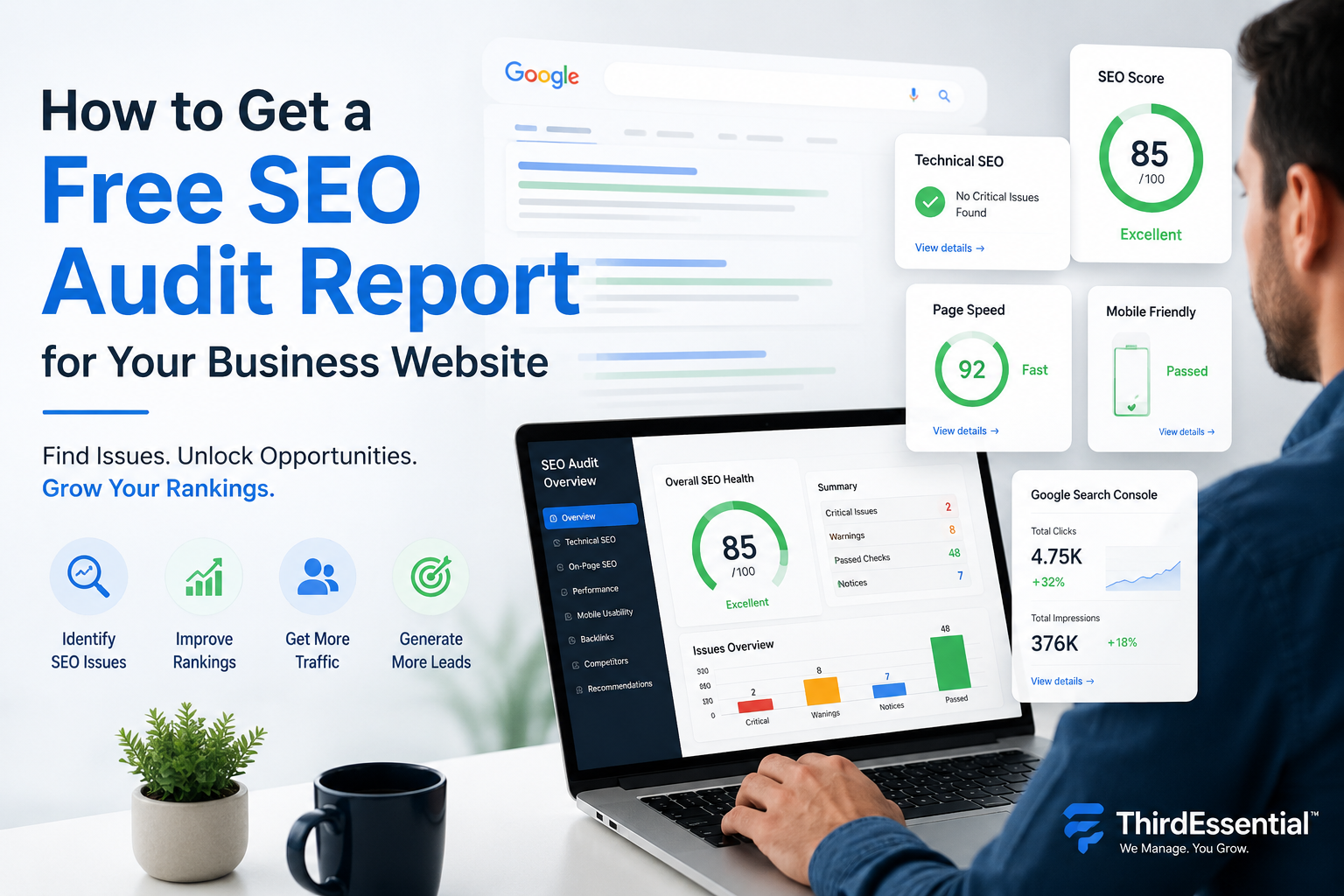
July 20, 2026
Last updated on July 28th, 2026 at 06:31 pm
Have you ever wondered why your website isn’t ranking on Google?
Maybe you’ve invested in a professional website. You’ve added your services, published a few blogs, and even shared your website on social media.
But you’re still not getting enough traffic or enquiries.
Sound familiar?
You’re not alone.
Many business owners face the same problem. The good news is that your website doesn’t always need a complete redesign. Sometimes, a few hidden SEO issues stop Google from ranking your pages.
That’s where an SEO audit helps.
Think of it as a health check-up for your website.
An SEO audit shows you what’s working, what’s broken, and what you should fix first. It can uncover slow-loading pages, technical errors, missing meta tags, poor internal linking, local SEO issues, and many other problems that affect your rankings.
Whether you run a small business, clinic, restaurant, eCommerce store, law firm, or local service company, understanding your website’s SEO can help you attract more visitors and generate more leads.
In this guide, I’ll show you how to get a free SEO audit report, what a professional audit includes, and how you can use it to improve your Google rankings.
Let’s get started.
What Is an SEO Audit?
Let’s start with the basics.
An SEO audit is an in-depth website analysis. It helps you identify the issues that prevent your website from ranking higher on Google and shows you exactly what needs improvement.
Think of an SEO audit as a complete health check-up for your website.
A doctor will run tests on your body before prescribing a medicine; a SEO audit will test every aspect of your site before you attempt to boost your website ranking.
For example, an SEO audit can answer questions like:
- Why isn’t my website ranking on Google?
- Why has my traffic dropped?
- Why am I getting very few enquiries?
- Why are my competitors ranking above me?
- Which SEO issues should I fix first?
Instead of guessing, you get a clear picture of your website’s SEO health.
Why Does an SEO Audit Matter?
Imagine you’re trying to fill a bucket with water.
Now imagine the bucket has several small holes.
No matter how much water you pour in, it keeps leaking.
SEO works the same way.
You can publish blogs, build backlinks, or run marketing campaigns, but if your website has technical or on-page SEO issues, you won’t get the results you expect.
An SEO audit helps you find and fix those “leaks.”
It checks important areas like:
- Technical SEO issues
- On-page optimization
- Website speed
- Mobile usability
- Internal linking
- Broken links
- Schema markup
- Local SEO
- Content quality
- Backlink profile
Once you identify these issues, you can prioritise the fixes that will have the biggest impact on your rankings.
Free Automated SEO Audit vs. Professional Manual SEO Audit
If you’ve searched for a free SEO audit online, you’ve probably seen dozens of tools that generate reports in a few seconds.
These tools are useful for a quick overview, but they only tell part of the story.
Here’s the difference:
| Free Automated SEO Audit | Professional Manual SEO Audit |
| Scans your website automatically | Reviewed by experienced SEO professionals |
| Identifies common technical issues | Finds technical, on-page, local, and content issues |
| Provides generic recommendations | Delivers business-specific action plans |
| Doesn’t understand your competitors | Includes competitor and keyword analysis |
| Limited insights | Prioritises fixes based on impact and business goals |
Think of it this way.
An automated SEO tool is like using a thermometer at home. It can tell you that something might be wrong.
A professional SEO audit is like visiting a doctor. They don’t just identify the problem—they explain why it happened, how serious it is, and what you should do next.
That’s why many businesses start with a free automated audit but rely on a professional SEO audit when they want to improve rankings, generate more traffic, and grow their business.
An SEO audit isn’t just another report. It’s the foundation of a successful SEO strategy. When you know what’s holding your website back, you can make smarter decisions, fix the right issues, and build a website that performs better in search results.
Signs Your Website Needs an SEO Audit
Not sure if your website needs an SEO audit?
Here’s a simple way to find out.
If you answered “yes” to even one of the questions below, it’s time to review your website’s SEO performance.
Your Website Traffic Has Dropped
Did your website receive more visitors a few months ago than it does today?
A sudden drop in organic traffic often points to SEO issues such as technical errors, outdated content, algorithm updates, or increased competition.
Your Keywords Have Lost Rankings
Are your target keywords slipping from page one to page two or beyond?
Even a small drop in rankings can lead to fewer clicks, fewer enquiries, and fewer sales. An SEO audit helps you identify what’s affecting your keyword performance.
Your Website Loads Slowly
Nobody likes waiting for a slow website.
If your pages take more than a few seconds to load, visitors may leave before exploring your services. Slow websites also affect your Google rankings and overall user experience.
You’re Getting Very Few Enquiries
Your website attracts visitors, but they don’t contact you.
This could indicate problems with your content, calls-to-action, user experience, or SEO strategy. An audit helps uncover the reasons behind low conversions.
Your Google Business Profile Isn’t Ranking
If you rely on local customers but your business doesn’t appear in Google Maps or local search results, your local SEO may need attention.
An SEO audit reviews your Google Business Profile, local citations, reviews, and location-specific pages to identify improvement opportunities.
Some Pages Don’t Appear on Google
Search for your website on Google and notice that important pages are missing?
Your pages may not be indexed because of crawl errors, incorrect settings, duplicate content, or technical SEO issues.
Your Website Doesn’t Work Well on Mobile
Most people browse websites on their smartphones.
If visitors need to zoom in, struggle to navigate, or experience slow loading on mobile devices, your website needs optimisation. Since Google uses mobile-first indexing, poor mobile usability can directly impact your rankings.
Visitors Leave Your Website Quickly
If people land on your website and leave without taking any action, your bounce rate may be too high.
This often happens because of slow loading speeds, poor content, confusing navigation, or an outdated website design. An SEO audit helps identify these issues and improve user engagement.
What Does a Professional SEO Audit Include?
If you’ve never had an SEO audit before, you might wonder what actually goes into it.
Is it just a report with a few errors?
Not at all.
A professional SEO audit looks at every part of your website to find the issues that affect your Google rankings, traffic, and conversions. Instead of giving you a generic score, it identifies the root causes and provides a clear action plan to improve your website.
Let’s look at the key areas a professional SEO audit covers.
Technical SEO Audit
Technical SEO forms the foundation of your website. If search engines can’t crawl or understand your website properly, your pages may struggle to rank—even if your content is excellent.
A technical SEO audit checks whether your website is easy for search engines to crawl, index, and display in search results.
It typically includes:
- Crawlability and crawl errors
- Indexing issues
- Robots.txt configuration
- XML sitemap validation
- Canonical tags
- Broken links (404 errors)
- Redirect chains and loops
- HTTPS and SSL security
- Core Web Vitals
- Structured data (Schema Markup)
Fixing technical issues helps Google access your website more efficiently and creates a stronger foundation for your entire SEO strategy.
On-Page SEO Audit
Creating content isn’t enough. Every page needs proper optimisation to rank well.
An on-page SEO audit reviews the elements that directly influence how search engines understand your content and how users interact with it.
This includes checking:
- SEO titles
- Meta descriptions
- Heading structure (H1, H2, H3)
- Keyword optimisation
- Content quality and readability
- Image optimisation
- Internal linking
- Duplicate content
- Thin or low-value pages
The goal is to ensure every page clearly answers the user’s search intent while following SEO best practices.
Local SEO Audit
If your business serves customers in a specific city or region, local SEO is just as important as traditional SEO.
A local SEO audit helps improve your visibility in Google Search and Google Maps, making it easier for nearby customers to find your business.
A professional audit reviews:
- Google Business Profile optimisation
- NAP (Name, Address, Phone Number) consistency
- Local business citations
- Customer reviews and ratings
- Google Maps visibility
- Local keyword targeting
- Service area pages
- Local schema markup
For businesses like clinics, restaurants, salons, law firms, plumbers, electricians, HVAC companies, and real estate agencies, strong local SEO often leads to more calls, enquiries, and walk-in customers.
Website Speed Audit
How fast does your website load?
If the answer is “too slow,” you’re probably losing visitors before they even view your services.
A website speed audit identifies the elements slowing down your website and recommends ways to improve performance.
It checks:
- Largest Contentful Paint (LCP)
- Image optimisation
- Browser caching
- CSS optimisation
- JavaScript optimisation
- Hosting performance
- Server response time
- Page loading speed
A faster website improves user experience and supports better Google rankings.
Mobile SEO Audit
Today, most visitors browse websites on their phones.
That’s why Google primarily evaluates the mobile version of your website before deciding where it should rank.
A mobile SEO audit ensures your website performs well across all screen sizes.
It reviews:
- Responsive design
- Mobile usability
- Touch-friendly buttons and menus
- Readable fonts
- Core Web Vitals
- Mobile page speed
A mobile-friendly website keeps visitors engaged and increases the chances of converting them into customers.
Off-Page SEO Audit
Your website’s reputation matters just as much as its content.
An off-page SEO audit evaluates your backlink profile and identifies opportunities to strengthen your website’s authority.
It includes:
- Backlink quality
- Spam or toxic links
- Anchor text analysis
- Domain authority
- Referring domains
- Competitor backlink analysis
A healthy backlink profile helps search engines trust your website and improves your ability to rank for competitive keywords.
Competitor SEO Analysis
Want to know why your competitors rank above you?
A competitor SEO analysis provides the answers.
Instead of guessing, you can see what’s working for other businesses in your industry and use those insights to improve your own strategy.
A professional competitor analysis examines:
- Keywords your competitors rank for
- High-performing pages
- Backlink opportunities
- Content gaps
- Local competitors
- Website structure
- SEO strengths and weaknesses
These insights help you discover new keyword opportunities, create better content, and build a strategy that gives you a competitive advantage.
An SEO Audit Gives You a Clear Action Plan
An SEO audit isn’t about pointing out problems—it’s about finding opportunities.
By reviewing your website’s technical health, content, local SEO, performance, backlinks, and competitors, a professional audit creates a clear roadmap for improving your Google rankings.
Instead of guessing what to fix next, you’ll know exactly where to focus your time and effort to attract more traffic, generate more leads, and grow your business.
Best Free SEO Audit Tools You Can Use
If you’re just getting started, you don’t have to invest in expensive SEO software right away.
Several free SEO audit tools can help you identify common issues on your website. They scan your pages, highlight technical errors, and provide recommendations to improve your SEO.
Let’s look at some of the most popular options.
1. SEOptimer
SEOptimer provides a quick overview of your website’s SEO health. It checks on-page SEO, technical SEO, usability, mobile performance, and basic security issues.
Best for: Small business owners looking for a quick website health check.
2. SEOquake
SEOquake is a free browser extension that displays SEO metrics while you browse websites. It lets you analyse page titles, headings, meta descriptions, keyword density, and backlinks.
Best for: Quick on-page SEO analysis and competitor research.
3. Backlinko SEO Checker
Backlinko offers several free SEO tools and educational resources that help beginners understand website optimisation. Their SEO checker provides useful insights and recommendations for improving your site’s performance.
Best for: Learning SEO fundamentals and identifying common optimisation opportunities.
4. Screaming Frog SEO Spider
Screaming Frog is one of the most popular technical SEO tools. It crawls your website and identifies issues such as broken links, duplicate content, redirect chains, missing meta tags, and indexing problems.
The free version allows you to crawl up to 500 URLs, making it suitable for small websites.
Best for: Technical SEO audits.
5. Semrush Site Audit
Semrush offers a powerful Site Audit tool that checks hundreds of technical SEO factors, including crawlability, Core Web Vitals, HTTPS issues, internal linking, structured data, and website performance.
The free version comes with usage limits, while the premium version provides more detailed reports.
Best for: Comprehensive technical SEO analysis.
6. Google Search Console
Google Search Console is one of the most valuable free SEO tools available.
It helps you understand how Google views your website and provides data on:
- Indexed pages
- Search performance
- Keyword impressions
- Click-through rates
- Coverage errors
- Mobile usability
- Core Web Vitals
Every website owner should set up Google Search Console.
Best for: Monitoring website performance in Google Search.
7. PageSpeed Insights
Website speed directly affects user experience and SEO.
Google PageSpeed Insights analyses your website’s loading speed on both desktop and mobile devices. It also provides recommendations to improve Core Web Vitals and overall performance.
Best for: Speed optimisation and Core Web Vitals analysis.
8. Sitechecker
Sitechecker performs a quick SEO audit by checking technical issues, indexing, page speed, metadata, and website health.
It also monitors SEO performance over time and helps identify areas that need attention.
Best for: Small businesses and website owners looking for an easy-to-understand SEO report.
9. Ubersuggest
Ubersuggest combines SEO auditing with keyword research and competitor analysis.
It helps you identify SEO errors, discover keyword opportunities, analyse backlinks, and monitor your website’s performance.
The free version offers limited daily searches, while the paid version unlocks additional features.
Best for: Beginners who want an all-in-one SEO tool.
These Tools Are Helpful—But They Have Limitations
Free SEO audit tools are a great starting point.
They can quickly identify common issues such as missing meta tags, broken links, slow-loading pages, or mobile usability problems.
But here’s the catch.
These tools rely on automation. They scan your website using predefined rules, but they can’t understand your business, your customers, or your goals.
For example, they won’t tell you:
- Why your competitors rank above you.
- Which keywords can generate the most qualified leads.
- Why your service pages aren’t converting visitors into customers.
- Which pages deserve priority based on your business goals.
- How to improve your local SEO strategy.
- Whether your content matches user search intent.
- What opportunities your competitors are missing.
In short, they identify symptoms, but they don’t diagnose the real problem.
If you want to uncover hidden SEO opportunities, outrank your competitors, and receive a clear action plan tailored to your business, a manual SEO audit is the better choice.
At ThirdEssential, we don’t rely only on automated reports. if you are not able to do SEO audit, our team will help you, checkout our services.
What You’ll Receive in Your Free SEO Audit Report
Wondering what you’ll actually get?
Our SEO audit goes beyond a simple website score. We manually review your website and highlight the issues that have the biggest impact on your rankings and business growth.
Here’s what your report includes:
✔ Technical SEO issues that affect crawling and indexing
✔ On-page SEO improvements for your pages and content
✔ Local SEO opportunities to improve Google Maps and local rankings
✔ Website speed analysis with performance recommendations
✔ Mobile usability report to improve user experience
✔ Keyword opportunities your business can target
✔ Competitor insights to help you stay ahead
✔ Priority fixes based on their impact
✔ Actionable recommendations you can implement
Our goal isn’t just to find problems. We show you where the biggest opportunities are and what you should fix first.
Who benefits from free SEO audit tools?
If your website helps you generate leads or sales, an SEO audit can help.
It’s especially valuable for businesses that want to improve their Google rankings and attract more customers.
Small Businesses
Find SEO issues that stop your website from generating enquiries.
Local Businesses
Improve your visibility in Google Search and Google Maps.
Clinics & Healthcare Providers
Reach more patients searching for healthcare services nearby.
Restaurants & Cafés
Increase local visibility and attract more diners.
Ecommerce Stores
Identify technical and on-page issues that affect product rankings and sales.
SaaS Companies
Improve organic traffic and target high-intent keywords.
Law Firms
Rank for local legal services and generate qualified leads.
Accountants & CA Firms
Reach businesses and individuals searching for financial services.
Travel Agencies
Improve visibility for destination and travel-related searches.
Educational Institutes
Attract more students through organic search.
Construction Companies
Generate leads for residential and commercial projects.
Real Estate Agencies
Rank for local property searches and location-based keywords.
Manufacturing Companies
Increase visibility for B2B products and industrial services.
No matter your industry, an SEO audit helps you understand where your website stands and how you can improve it.
Common SEO Problems We Find
Every website has room for improvement.
After auditing hundreds of business websites, we’ve noticed the same issues appear again and again.
Some are easy to fix.
Others quietly affect rankings for months without business owners even noticing.
Here are some of the most common SEO problems we find:
- Missing or poorly optimised page titles
- Duplicate content across multiple pages
- Broken pages (404 errors)
- Weak internal linking structure
- Slow-loading pages
- Missing Schema Markup
- Broken or low-quality backlinks
- Poor local SEO optimisation
- Unoptimised images that slow down the website
- Keyword cannibalization, where multiple pages compete for the same keyword
The good news?
Most of these issues are completely fixable.
The challenge is knowing which ones matter most and where to start.
That’s exactly what a professional SEO audit helps you uncover. It prioritises the fixes that can make the biggest difference to your website’s rankings, traffic, and enquiries.